Overview
The Nuonic AI Assistant is a built-in help chat powered by Nuonic AI. Ask it questions about features, workflows, or account management in plain language and it will answer using the Help Centre guides, with links to relevant articles.
Where to find it
The AI Assistant is available in two places:
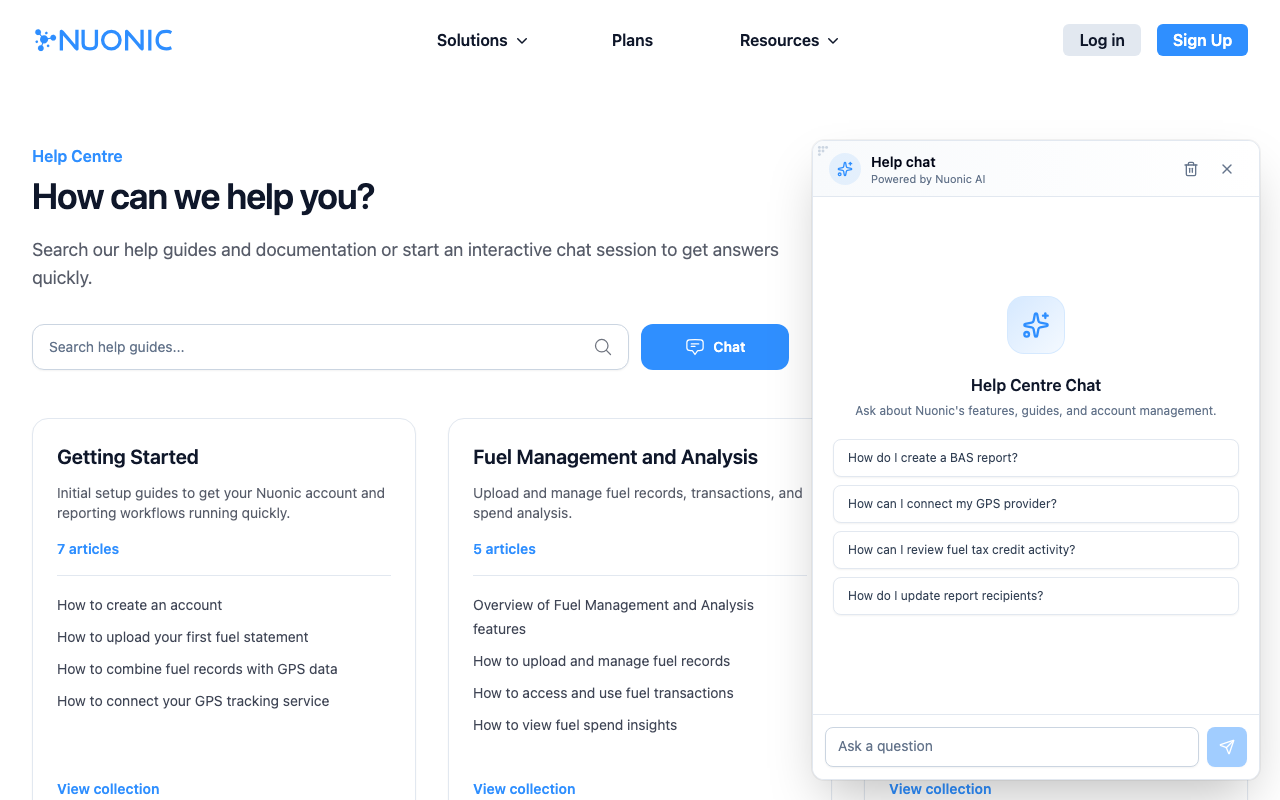
- Help Centre — select the
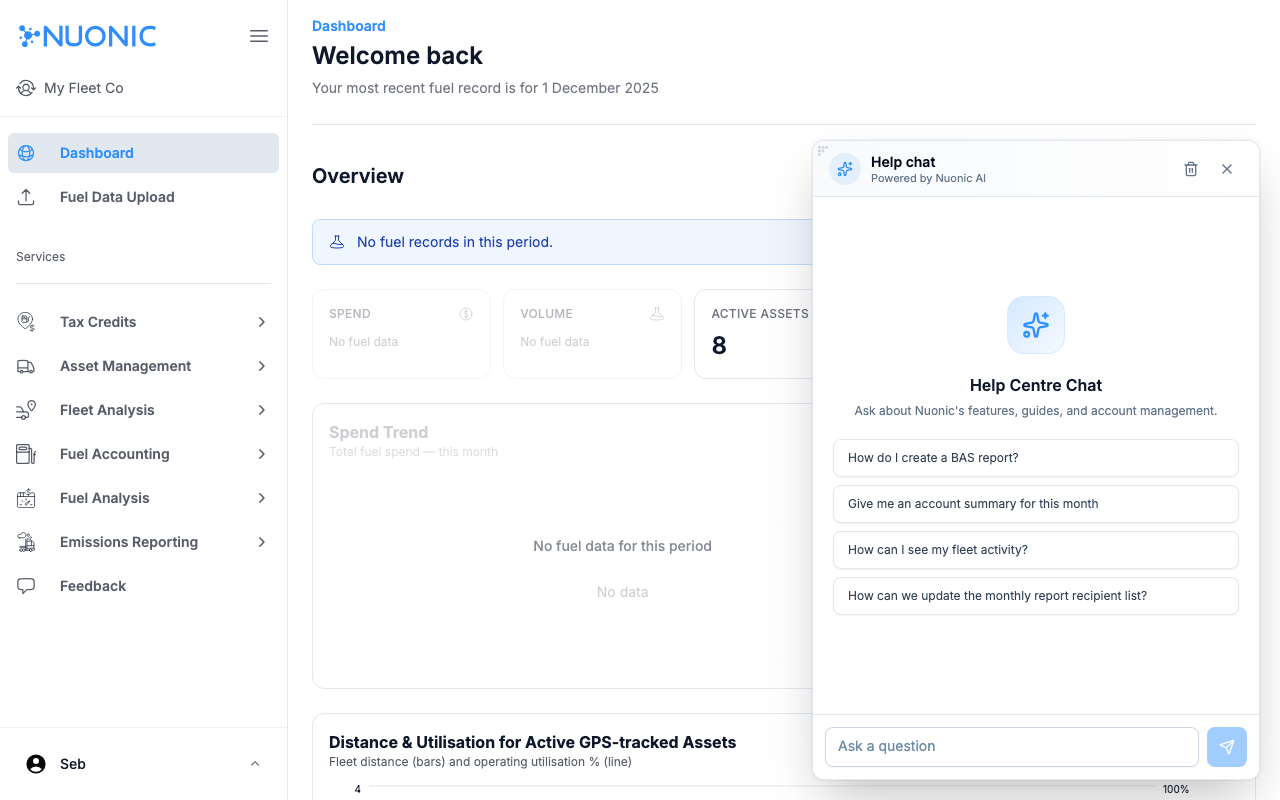
Chatbutton on nuonic.com.au/help-centre - Nuonic app — select the blue chat bubble icon in the bottom-right corner of any page at
web.nuonic.com.au
Steps
- Select
Chaton the Help Centre, or select the chat bubble icon in the app. - The assistant opens showing four suggested questions — select one to get started, or type your own question in the
Ask a questionfield. - Press
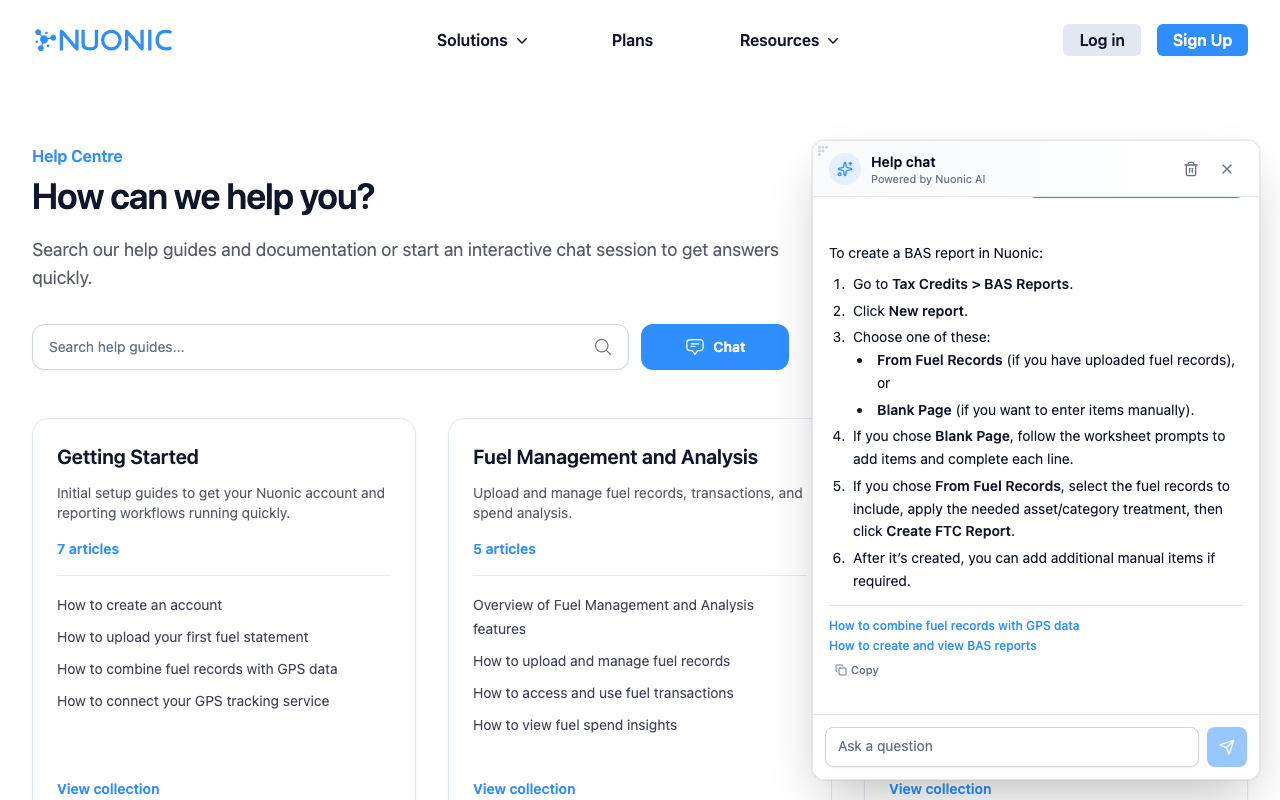
Enteror select the send button to submit. - The assistant responds with a step-by-step answer. Where relevant, it includes links to Help Centre articles at the bottom of the response.
- Continue the conversation by asking follow-up questions — the assistant remembers the context of the current session.
- To start a fresh conversation, select the trash icon in the top-right corner of the chat window.
Screenshots
From the Help Centre: Select Chat to open the assistant. Suggested questions appear to help you get started quickly.
From the app: The same assistant is available inside Nuonic via the chat bubble in the bottom-right corner. Suggested questions are tailored to the app context.
The assistant answers in plain language and links to the relevant Help Centre guides at the bottom of each response.
Tips
- Ask in plain language — you don't need to use exact feature names.
- If the answer doesn't fully address your question, follow up with a more specific question.
- Use the suggested questions as a starting point if you're not sure what to ask.
- The assistant is best suited to questions about how Nuonic works. For billing or account issues, speak with our team.
Troubleshooting
- If the chat window doesn't open, try refreshing the page.
- If you receive an unexpected answer, try rephrasing your question or ask for more detail.
- The assistant's knowledge is based on the Help Centre — for questions not covered there, contact our team.