Overview
Create emissions outputs by selecting the reporting window, emissions standard, and included assets once Emissions Reporting is enabled for the account.
Steps
- Sign in to Nuonic.
- In the left navigation, select
Emissions Reporting. - Open
Reports. - Choose the required date range and emissions standard.
- Select the assets to include.
- Generate and export the report.
Screenshots
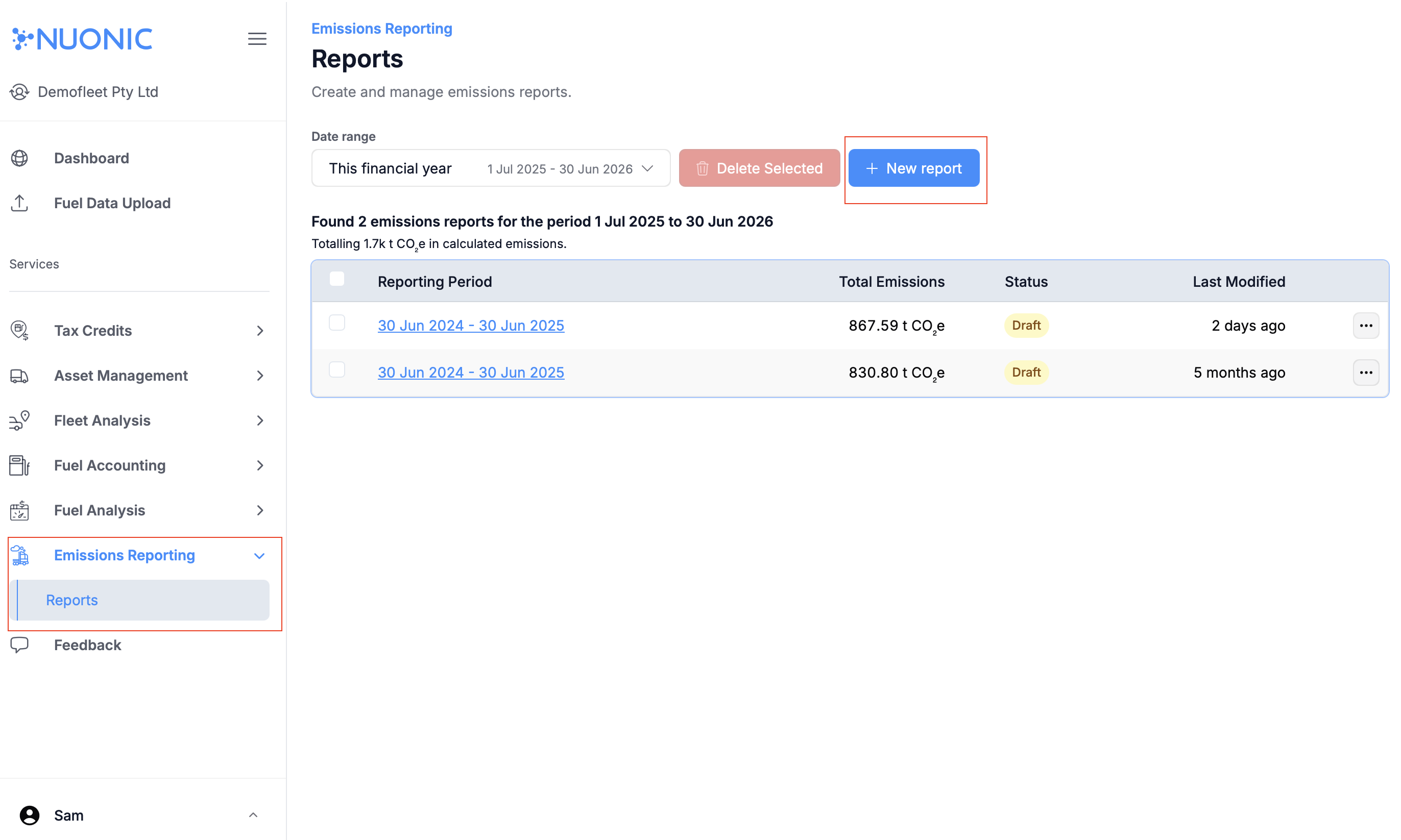 Open the Emissions Reporting area from the left navigation, then enter
 Reports.
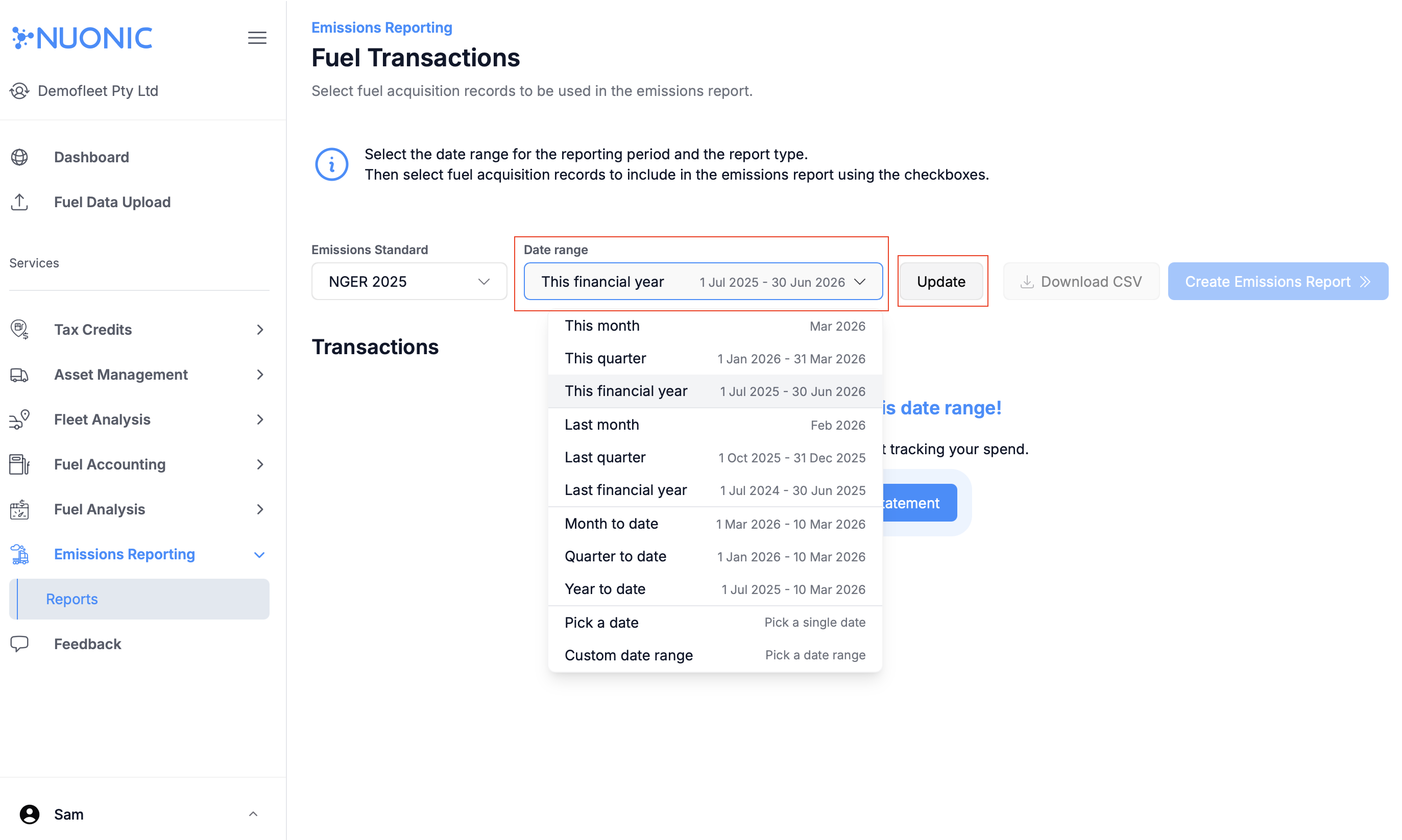 Set the reporting date range and select the required emissions standard before continuing.
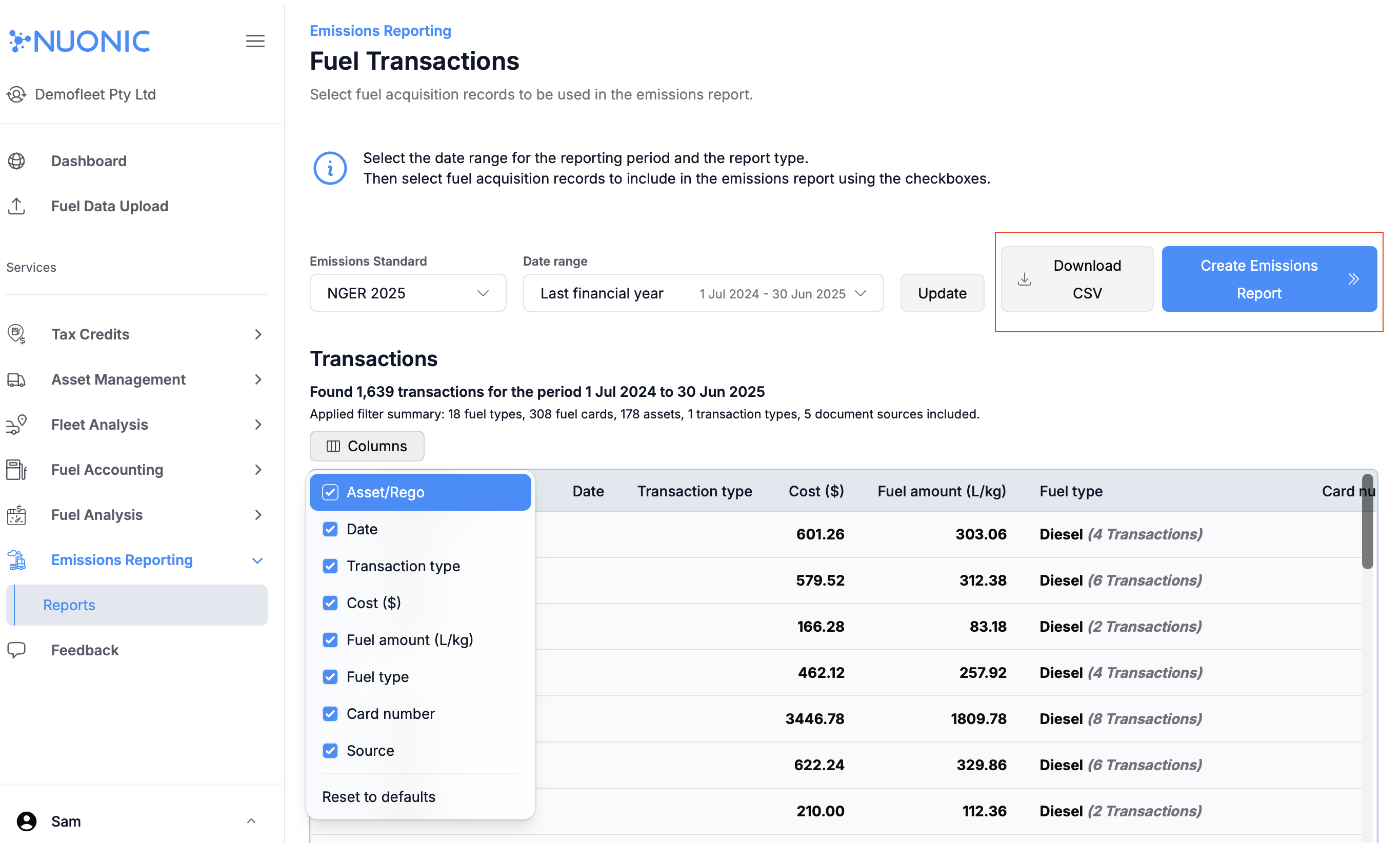 Select the assets to include, then create the report from the report setup screen.
Troubleshooting
- If
Reportsis not available, request feature enablement from support. - If generation fails, check that fuel and asset records exist for the selected timeframe.