Overview
Use this guide to read and validate the key sections of an emissions report in Nuonic before sharing results internally or externally.
Prerequisites
- You can access
Emissions Reporting > Reports. - At least one emissions report has been generated.
- You know whether your reporting requirement is aligned to
NGAorNGER.
Steps
- Open
Emissions Reporting > Reports. - In the reports table, identify the report you need using:
Reporting PeriodStatusLast Modified
- Open the report row to view report details.
- In
Report Details, confirmMeasurement Method. - Review the summary sections:
Total Fuel ConsumedTotal Energy ConsumedTotal Emissions Generated
- Review
Fuel Type Summaryto understand contribution by fuel category. - Review
Emissions by Assetto identify which assets contribute most to emissions. - Confirm
Report Statusbefore distribution or submission.
What each report section means
Report Details
Shows the report context and core assumptions, including the Measurement Method used for calculations.
Measurement Method
Use this field to confirm the reporting basis:
National Greenhouse Accounts Factors ...indicates anNGAmethod.National Greenhouse and Energy Reporting 2025indicates anNGERmethod.
Total Fuel Consumed
Shows total fuel volume included in the report period and scope.
Total Energy Consumed
Shows total energy derived from the included fuel/activity data.
Total Emissions Generated
Shows total emissions outcome for the selected report scope and period.
Fuel Type Summary
Breaks emissions/fuel values by fuel category so you can see category-level contribution.
Emissions by Asset
Breaks emissions by asset to support hotspot analysis and operational follow-up.
Report Status
Indicates report lifecycle state (for example draft/ready) and whether it is suitable for sharing.
Screenshots
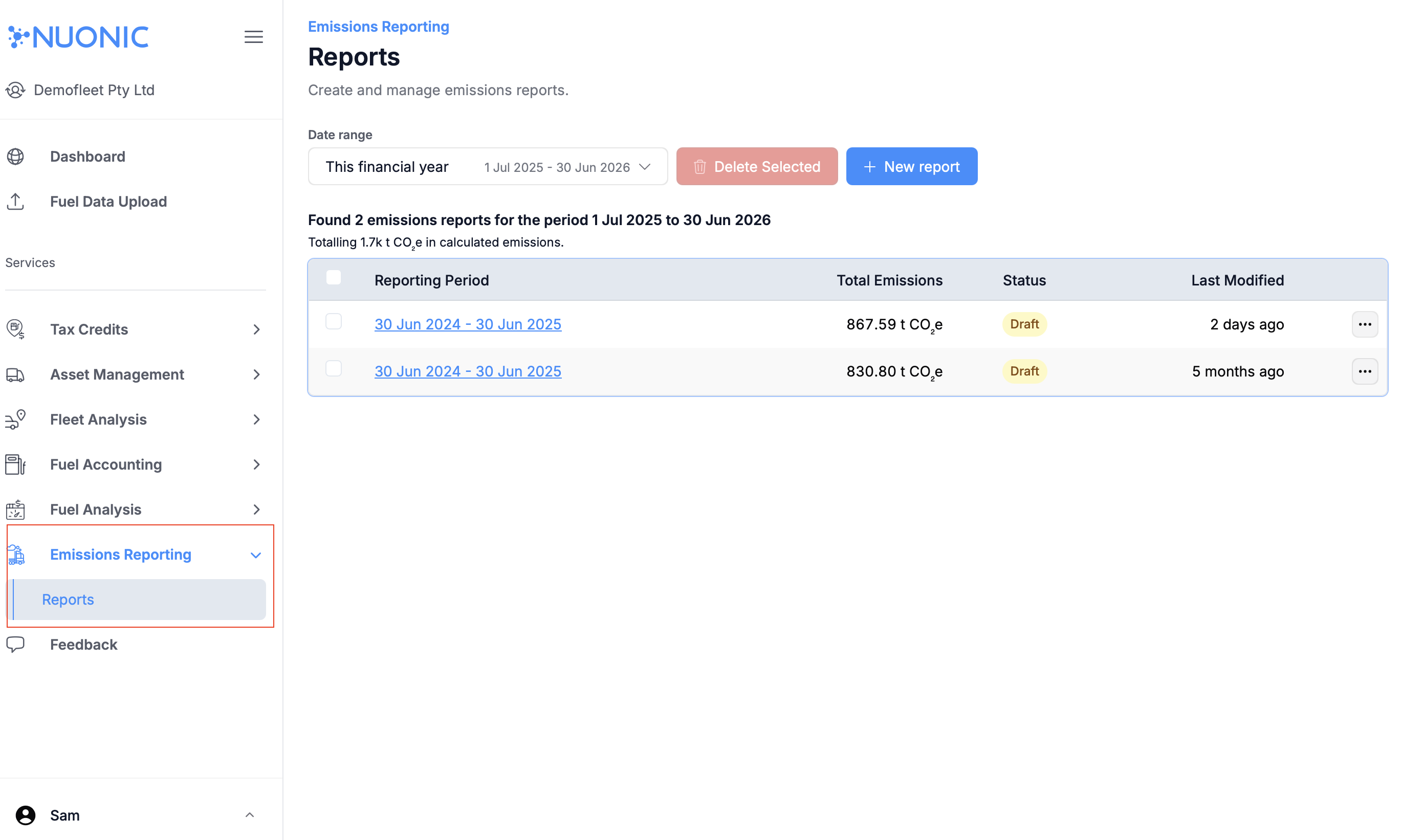 Emissions reports list showing available reports and key table columns.
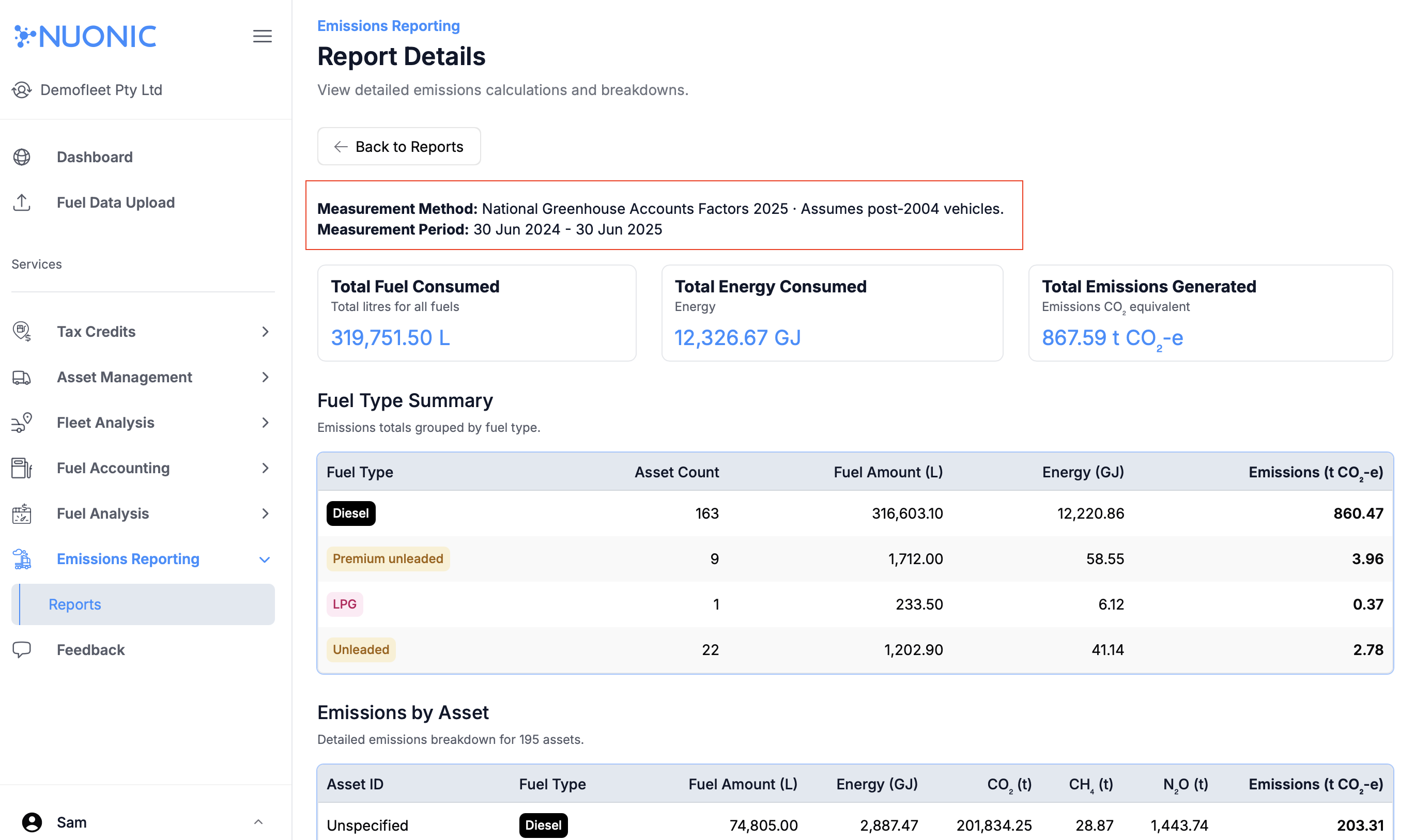 Example of an NGA-aligned report where the Measurement Method uses National Greenhouse Accounts factors.
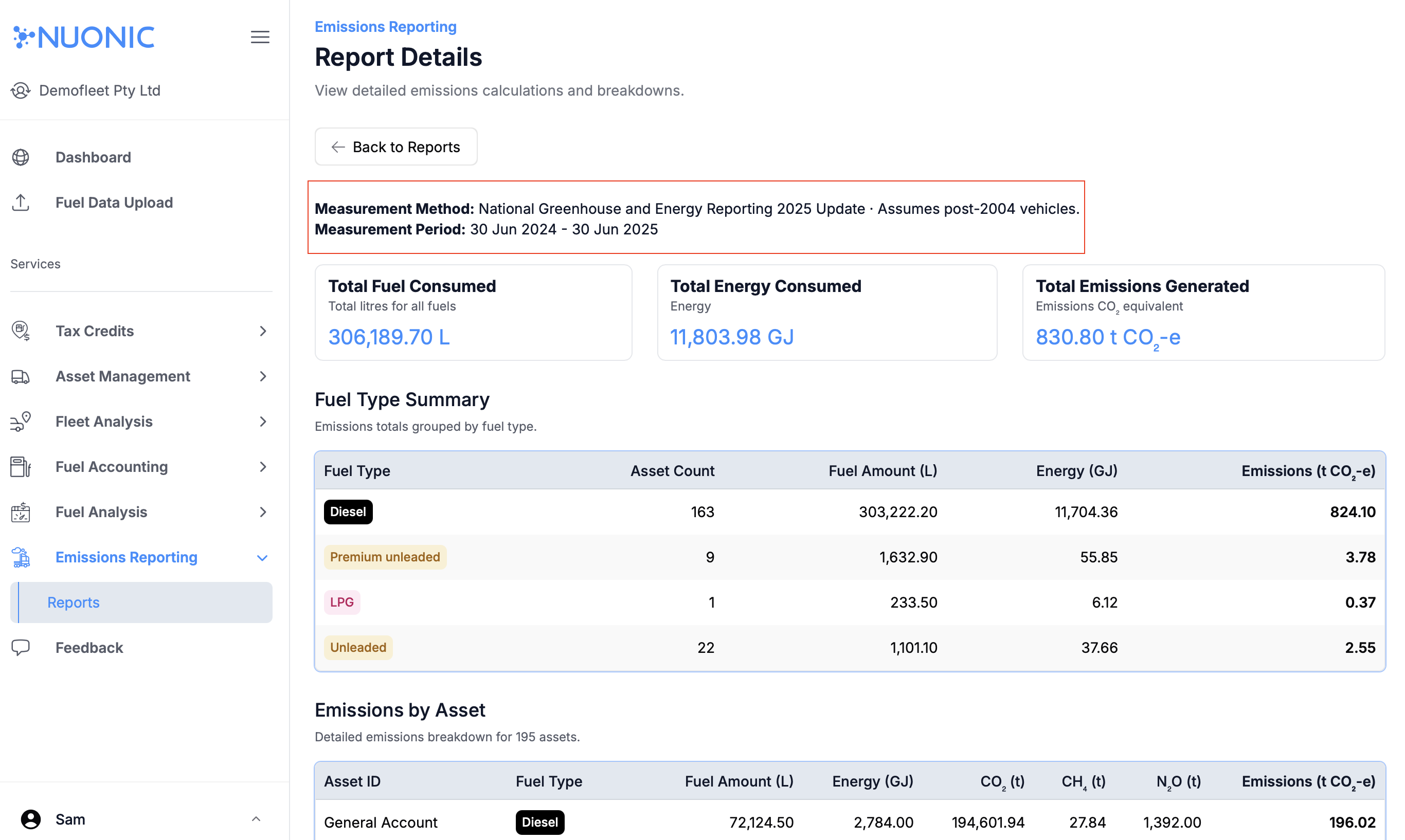 Example of an NGER-aligned report where the Measurement Method shows National Greenhouse and Energy Reporting 2025.
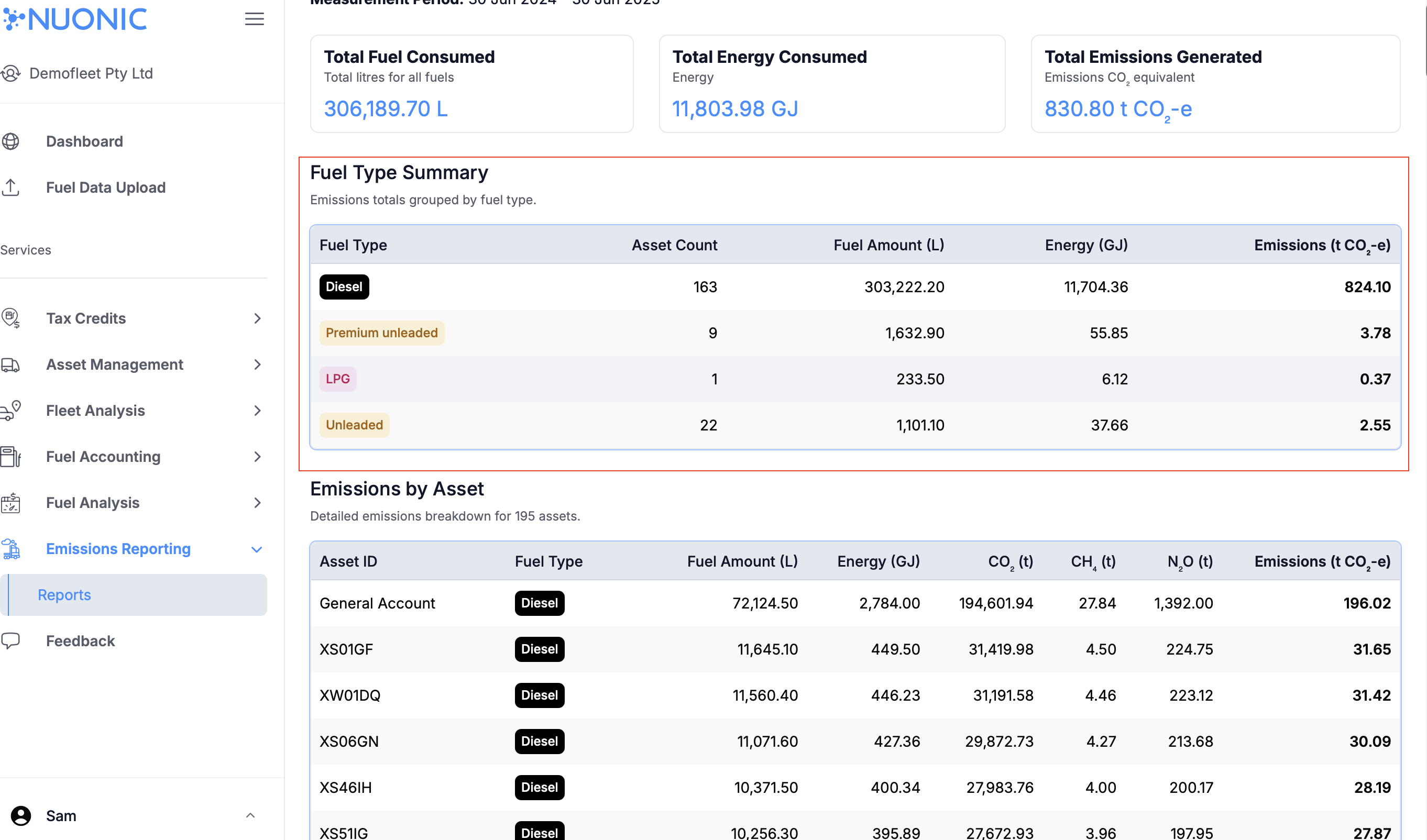 Fuel Type Summary section showing contribution by fuel category.
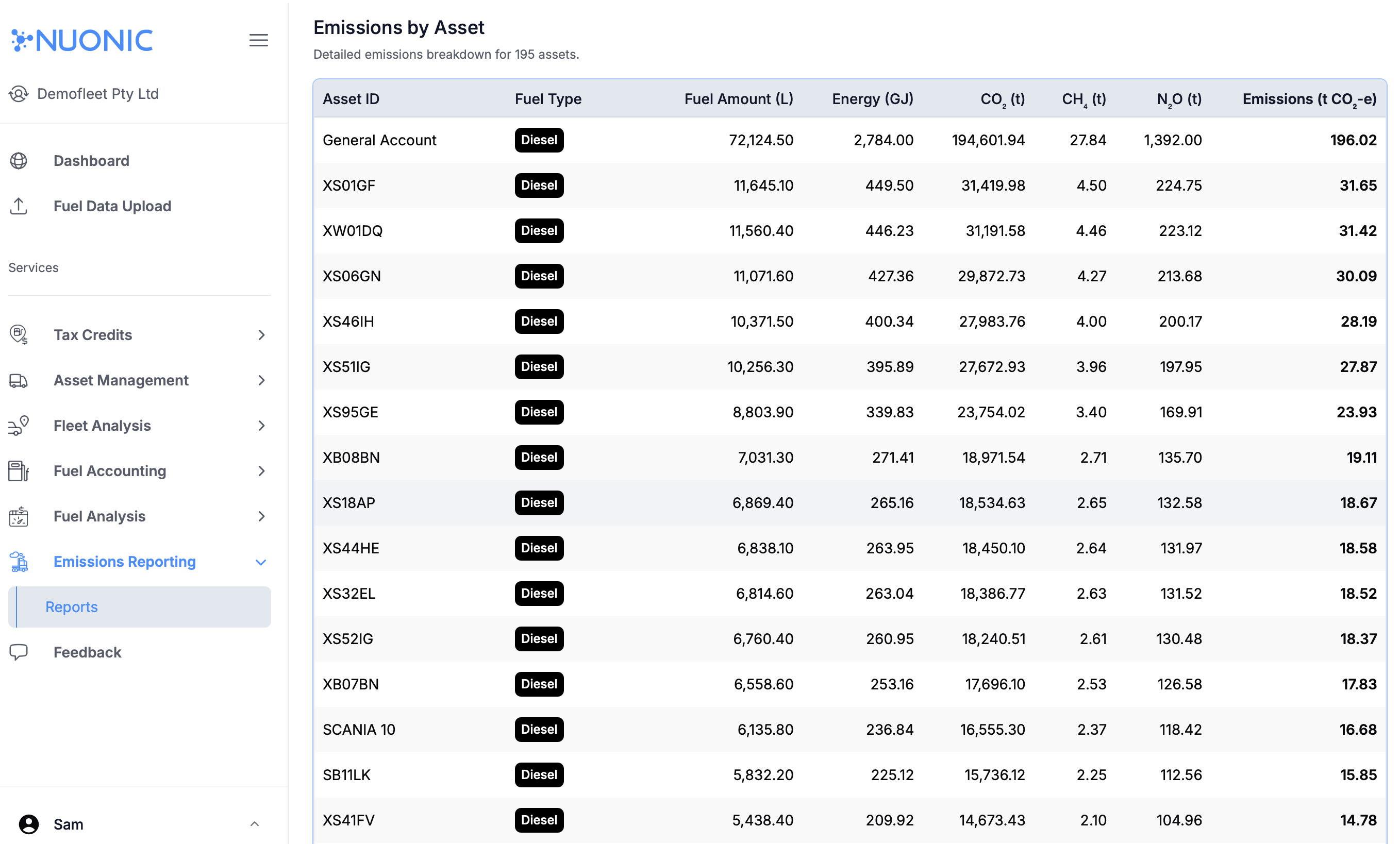 Emissions by Asset section showing emissions contribution by individual asset.
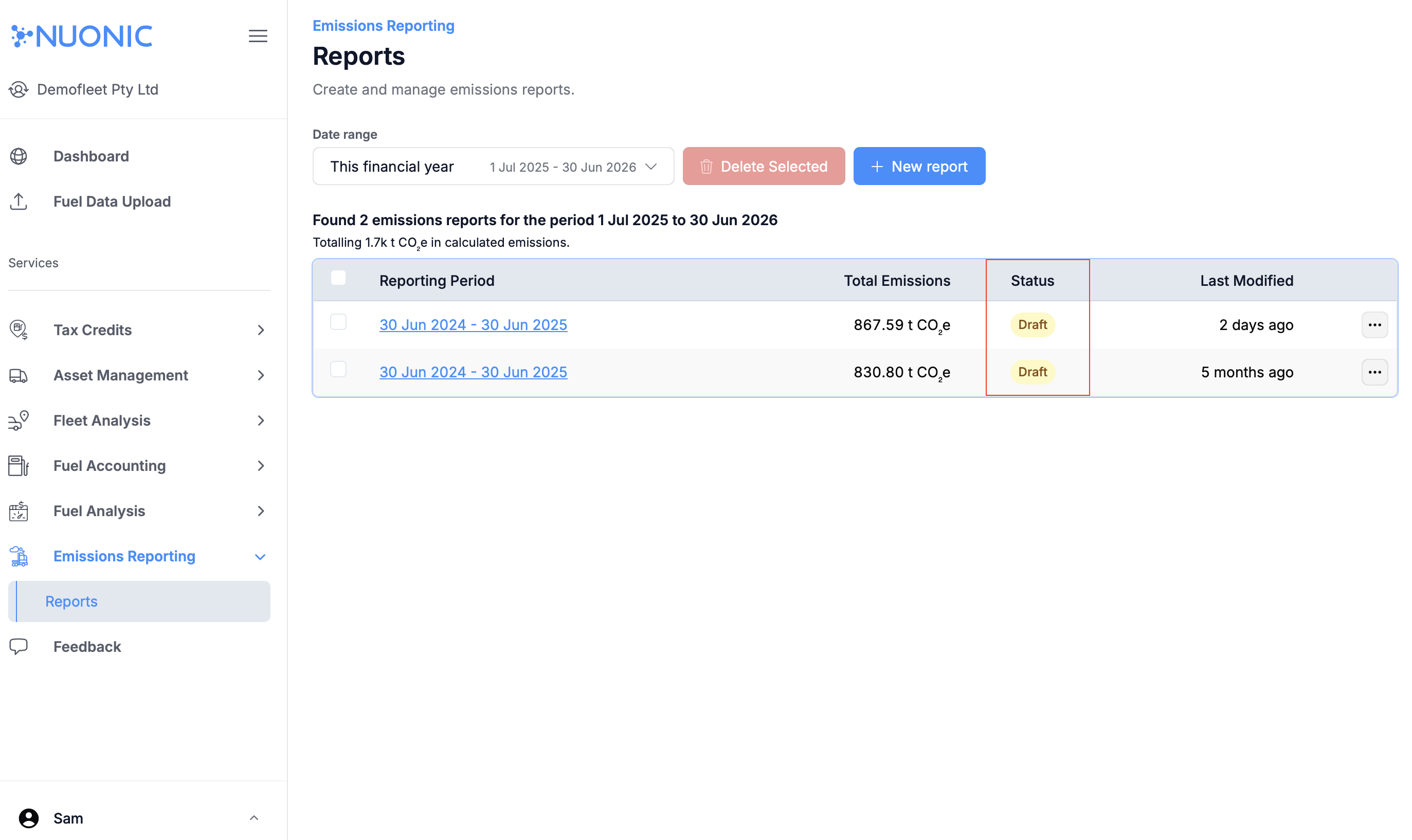 Report Status section showing the current lifecycle state of the report.
Troubleshooting
- If
Measurement Methodis missing, reopen the report and confirm you are in the detail view, not the reports list. - If totals look incorrect, verify report period, included assets, and source data completeness.
- If expected assets are missing in
Emissions by Asset, check asset inclusion and data availability for the selected period. - If the report is still draft, complete internal review before sharing externally.