Overview
Connect your telematics provider in Nuonic so GPS trip/activity data can be used for FTC apportionment and reporting.
Prerequisites
- Access to
Tax Credits > GPS Apportionment. - Telematics provider account credentials/API details.
- Admin access in Nuonic.
Prerequisites
- Access to
Tax Credits > GPS Apportionment. - Telematics provider account credentials/API details.
- Admin access in Nuonic.
Steps
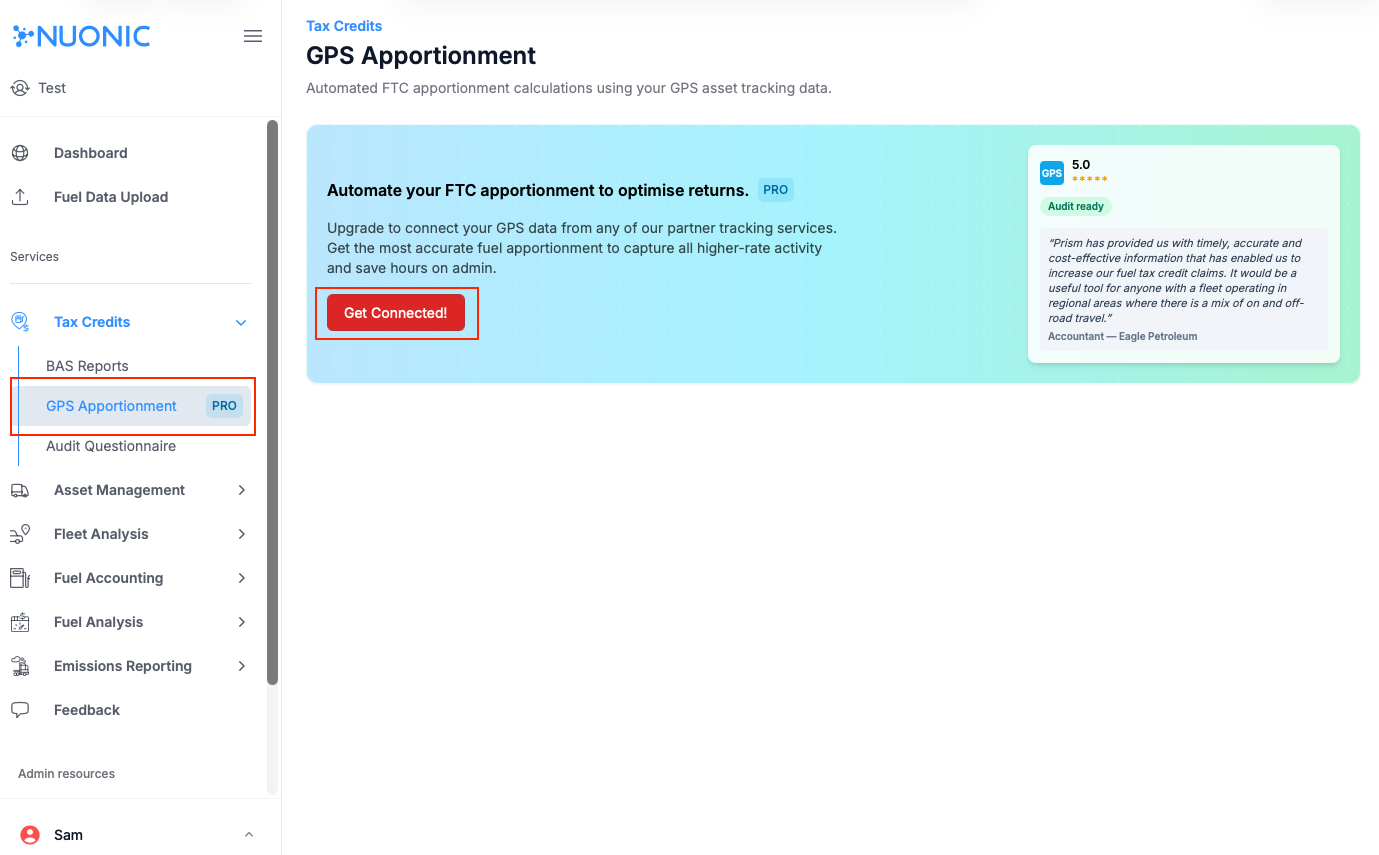
- Open
Tax Credits > GPS Apportionment. - In the connection banner, select
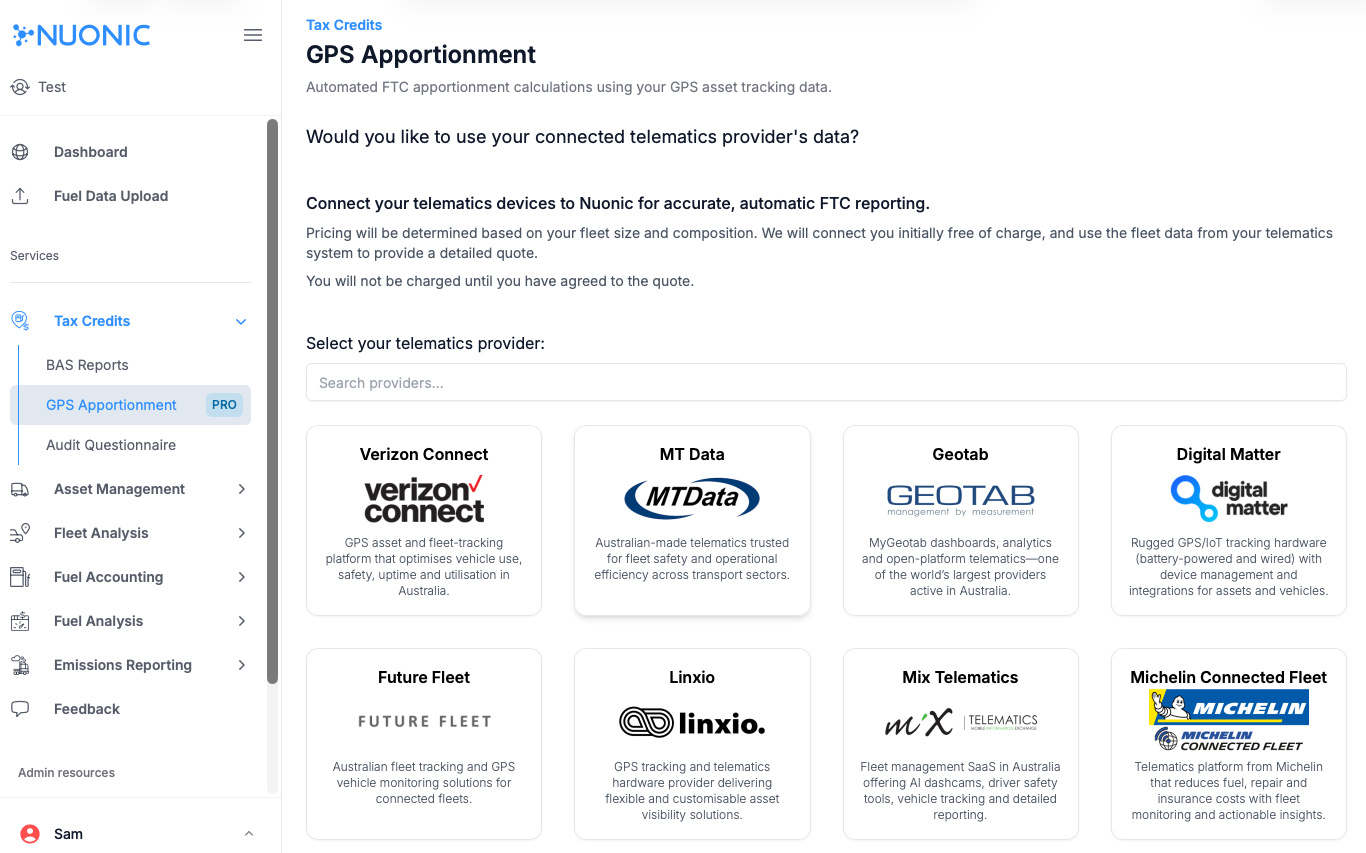
Get Connected!. - In the provider selection screen, choose your telematics provider.
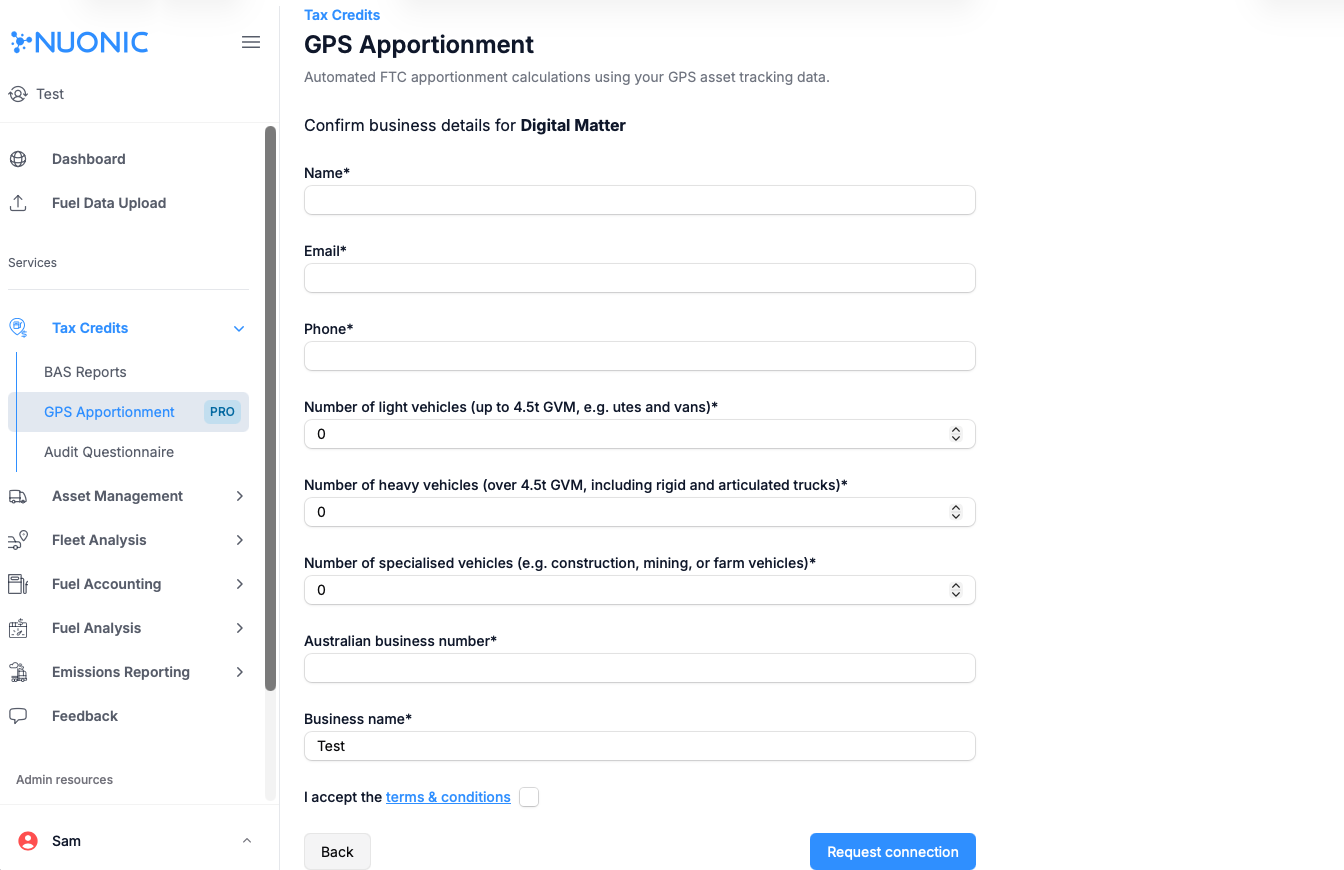
- Complete the
Confirm business detailsform (name, email, phone, fleet details, ABN, and business name). - Accept the terms and conditions, then select
Request connection. - Validate that assets are linked by opening
Asset Management > Register. - Use
Link Assets to Telematicsto complete any missing links. - Confirm data flow in
Tax Credits > GPS Apportionment.
Screenshots
Troubleshooting
- If
Get Connected!is not visible, verify your plan includes GPS apportionment features. - If
Request connectionis disabled, check required fields (especially ABN and terms acceptance). - If your provider is not listed, contact support and include your provider name and integration requirements.
- If no devices are linked after setup, recheck provider credentials and asset/device identifiers.