Overview
Upload fuel statements and convert them into acquisition records for downstream analysis.
Steps
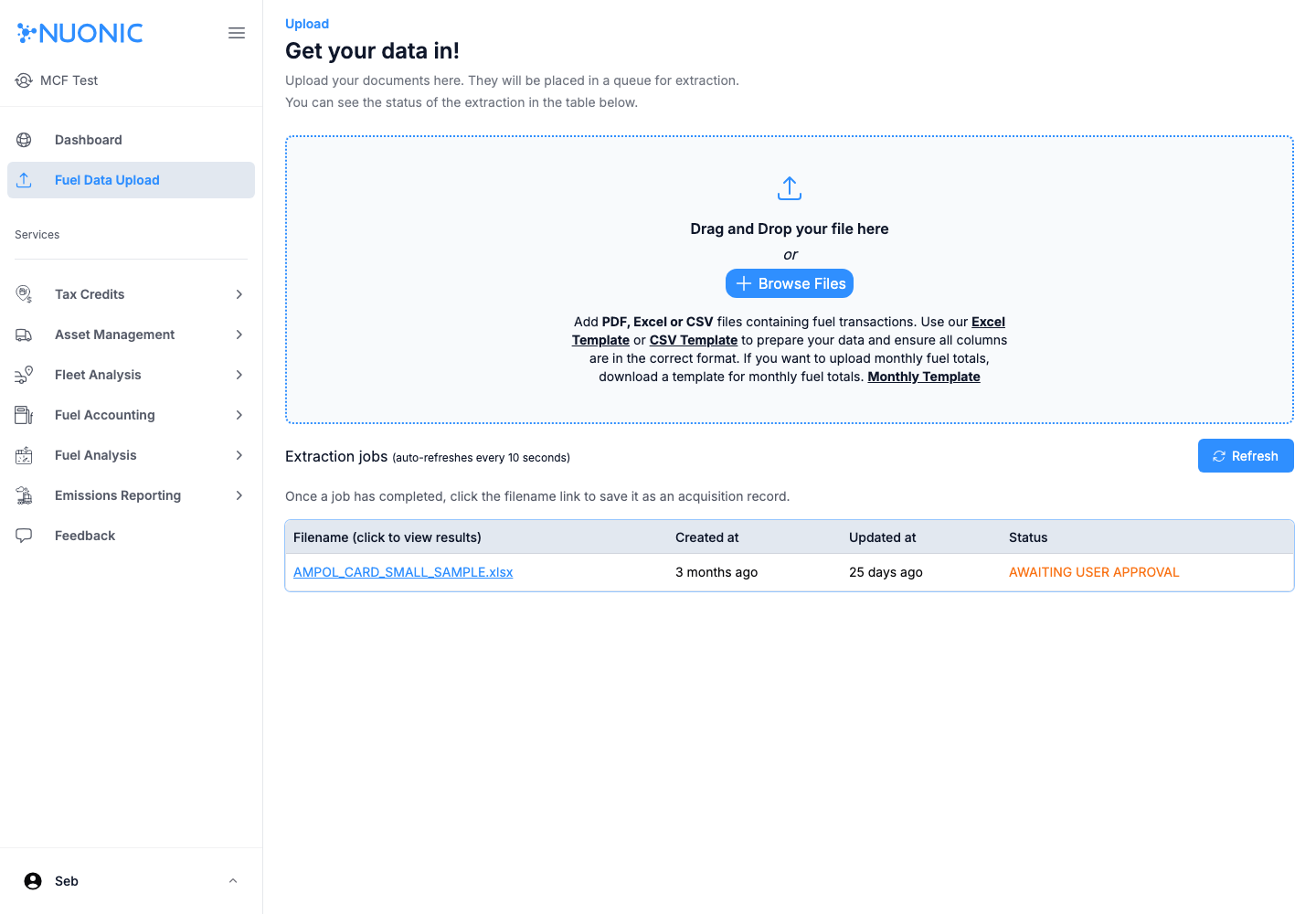
- Open
Fuel Data Upload. - Select
Browse Files(or drag and drop) and choose your statement file. - Wait for the file to appear in
Extraction jobs. - Open the filename link once processed.
- Save/confirm the extracted result as an acquisition record.
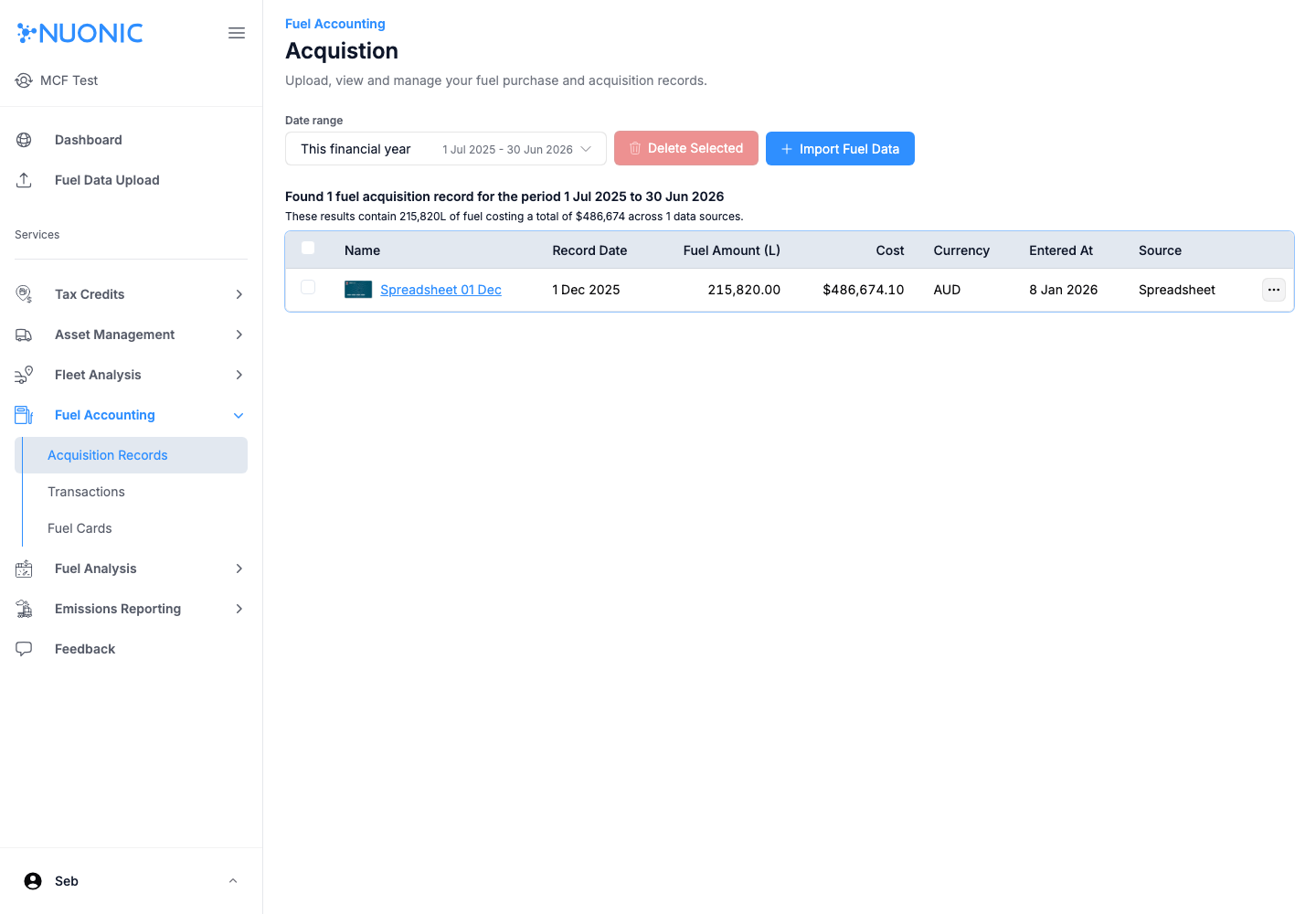
- Open
Fuel Accounting > Acquisition Recordsand verify the record appears.
Screenshots
Troubleshooting
- If extraction fails, retry with the provided template format and required columns.
- If a record does not appear after upload, refresh and confirm job status in
Extraction jobs.
Note
Currently we support Caltex and Ampol fuel statements along with manual spreadsheets. We are continuously working to support additional fuel statement formats.
If you encounter an error while uploading your file or statement, please reach out to support@nuonic.com.au with a copy of the statement. Our team will review it and assess the feasibility of supporting that format in the reader.