Overview
Upload fuel statements and convert them into acquisition records for downstream analysis.
Steps
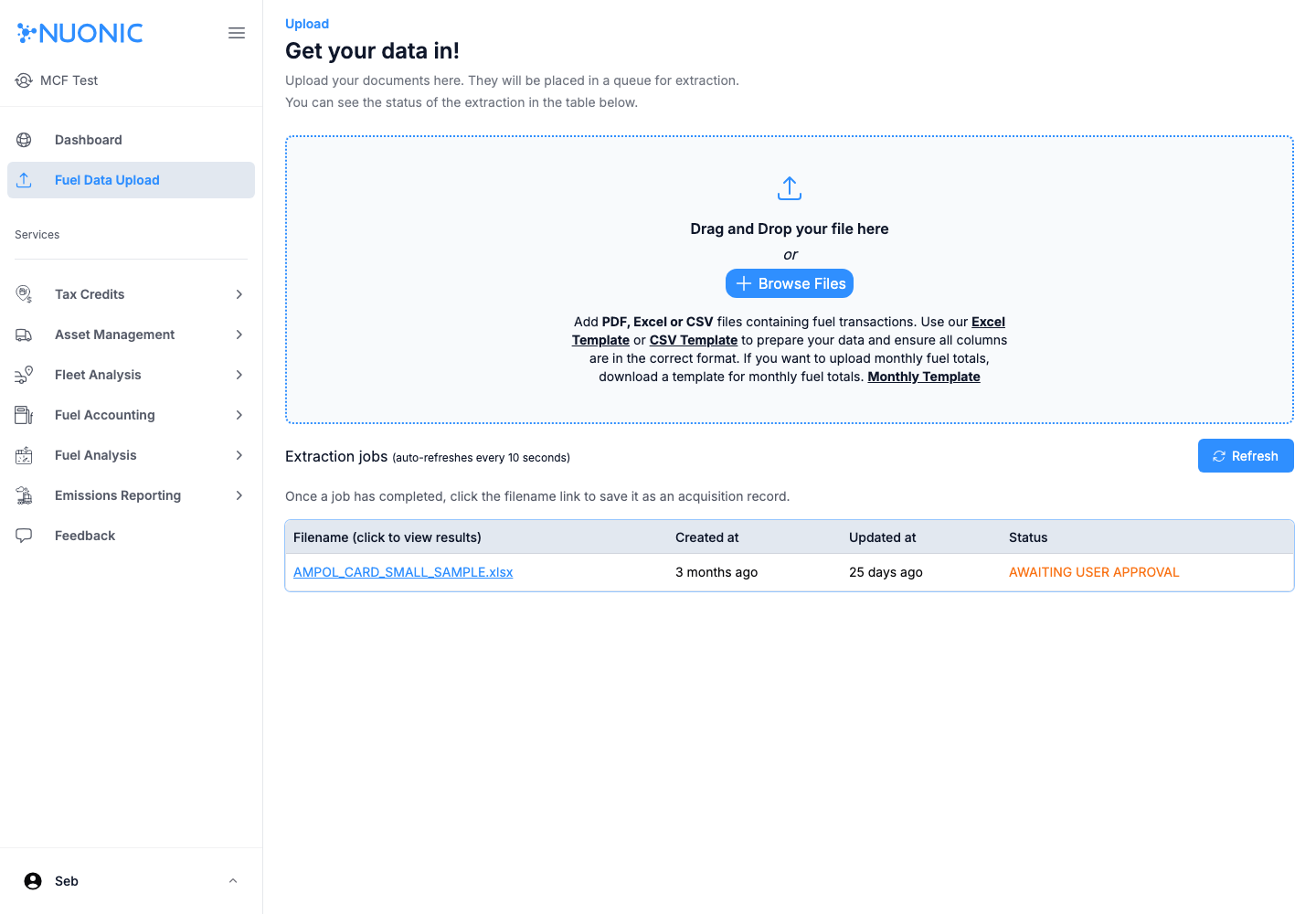
- Open
Fuel Data Upload. - Select
Browse Files(or drag and drop) and choose your statement file. - Wait for the file to appear in
Extraction jobs. - Open the filename link once processed.
- Save/confirm the extracted result as an acquisition record.
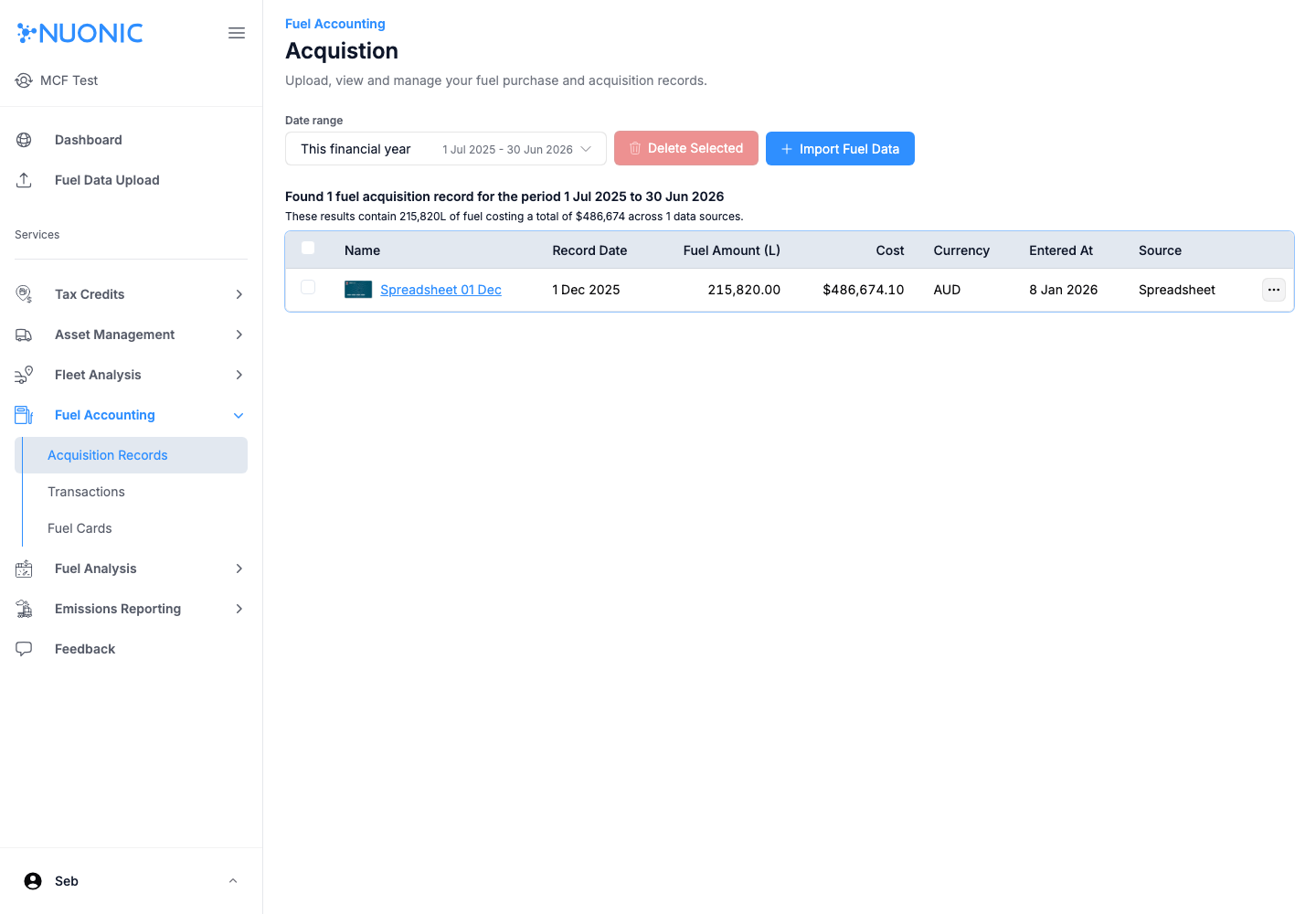
- Open
Fuel Accounting > Acquisition Recordsand verify the record appears.
Screenshots
Troubleshooting
- If extraction fails, retry with the provided template format and required columns.
- If a record does not appear after upload, refresh and confirm job status in
Extraction jobs.