Overview
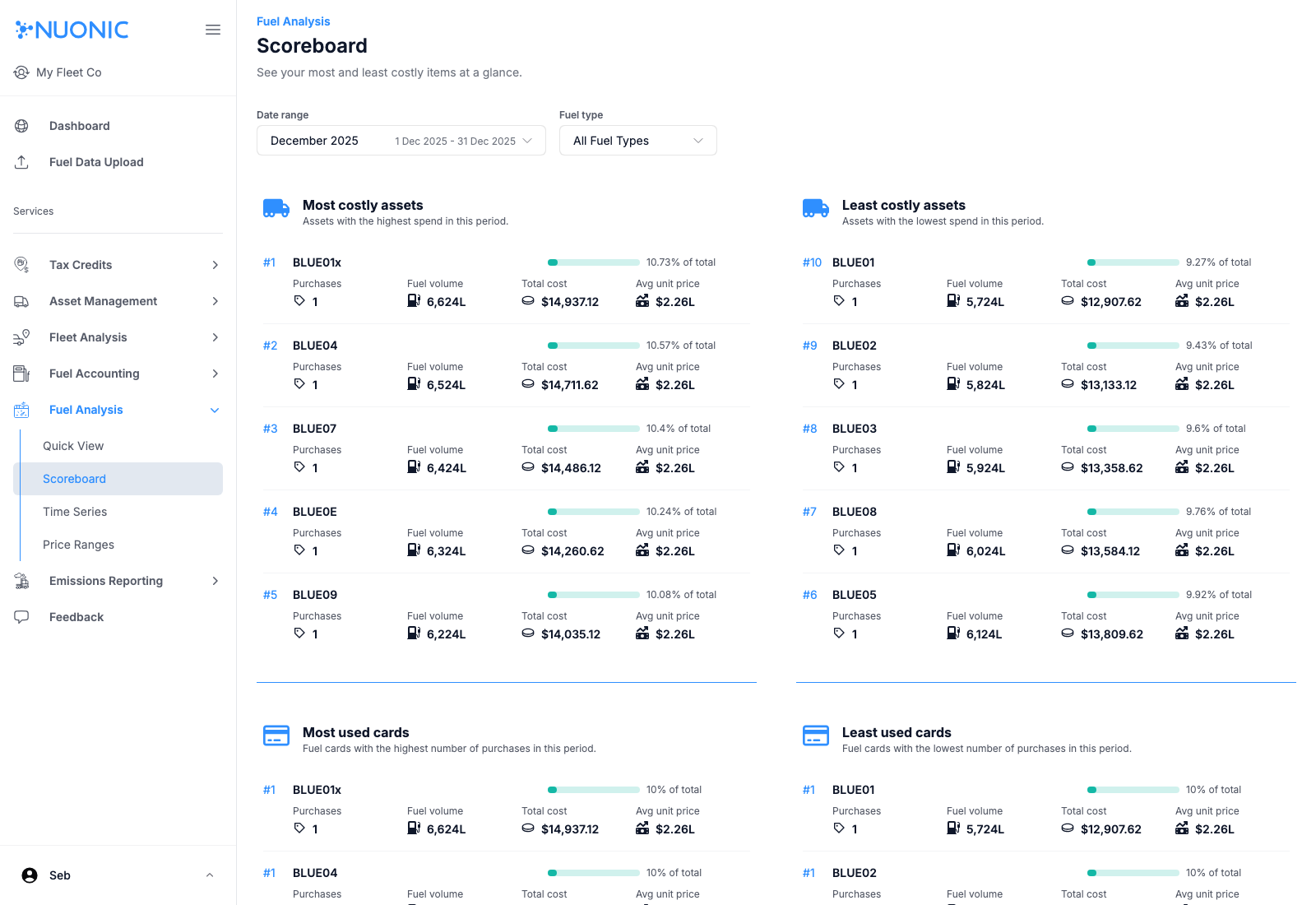
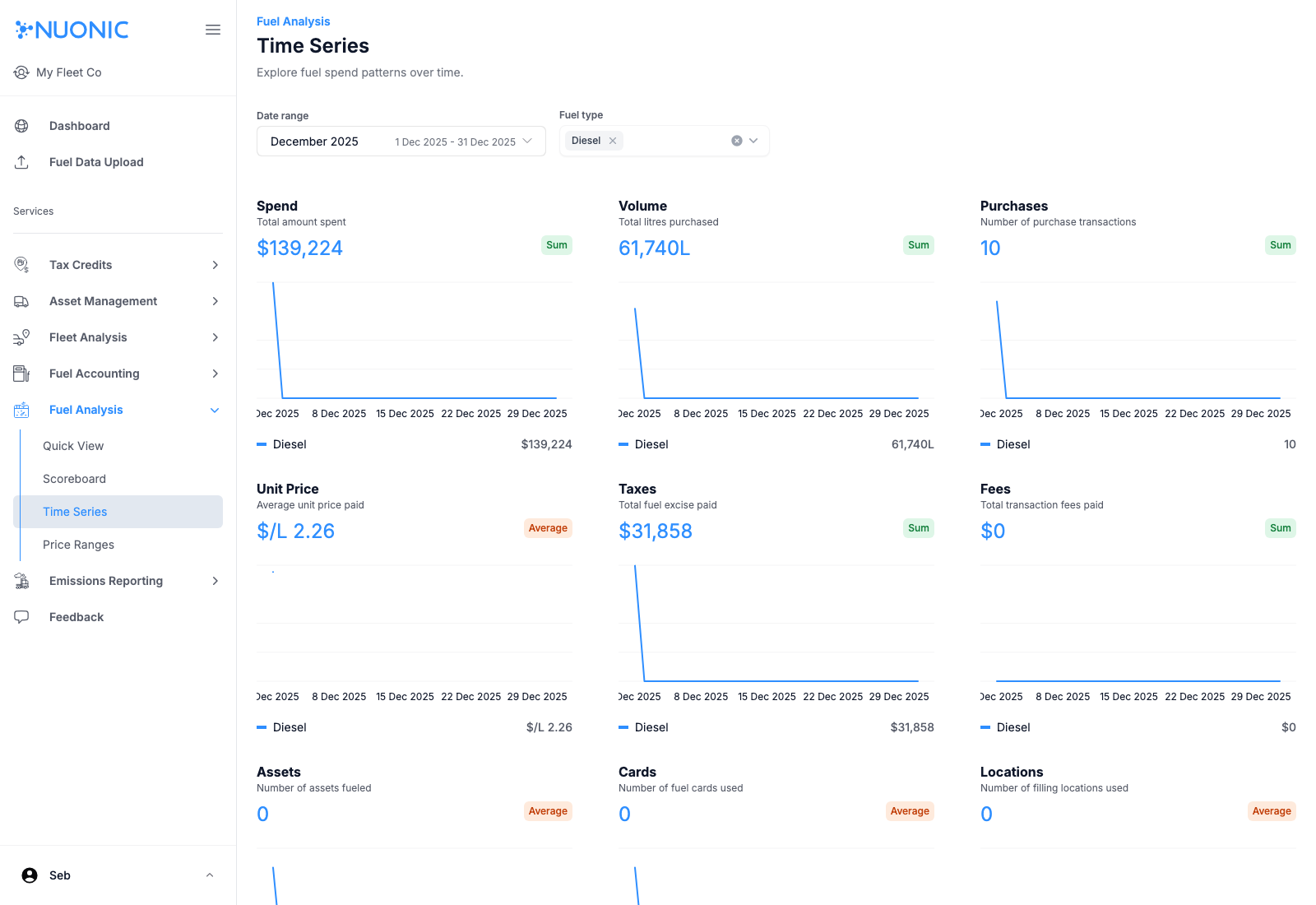
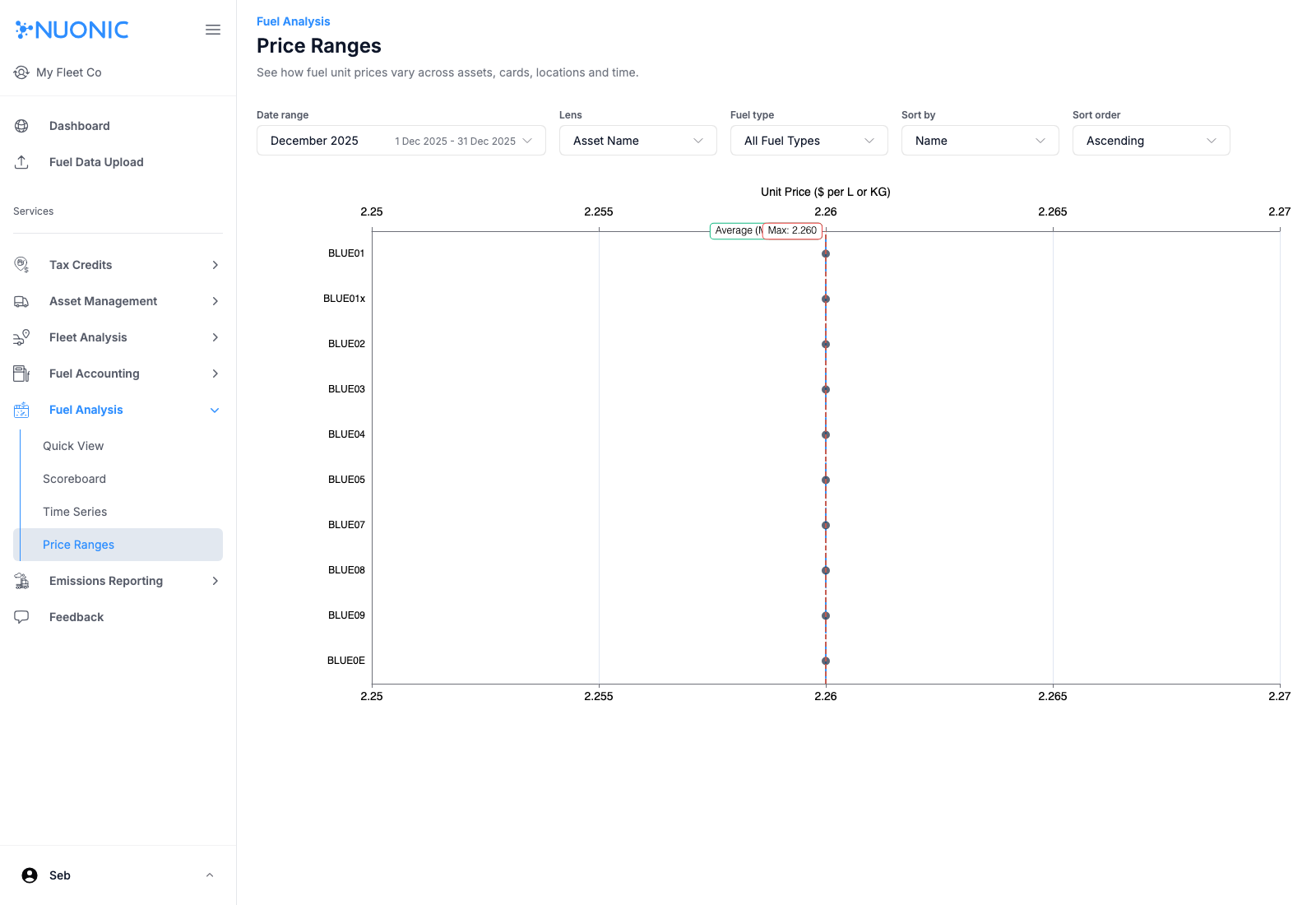
Use Fuel Analysis views to monitor overall spend patterns across your selected date range.
Steps
- Open
Fuel Analysis > Scoreboardfor top-level spend summaries. - Set
Date rangeandFuel typefilters. - Open
Fuel Analysis > Time Seriesto review trends over time. - Open
Fuel Analysis > Price Rangesto compare unit prices across assets/cards/locations. - If screens show no results, use
Click here to view themorImport latest statementsto bring in data.
Screenshots
Troubleshooting
- If no records appear, widen your date range and confirm statement imports are complete.
- If metrics seem low/high, verify filters (
Fuel type,Lens,Sort) before drawing conclusions.