Overview
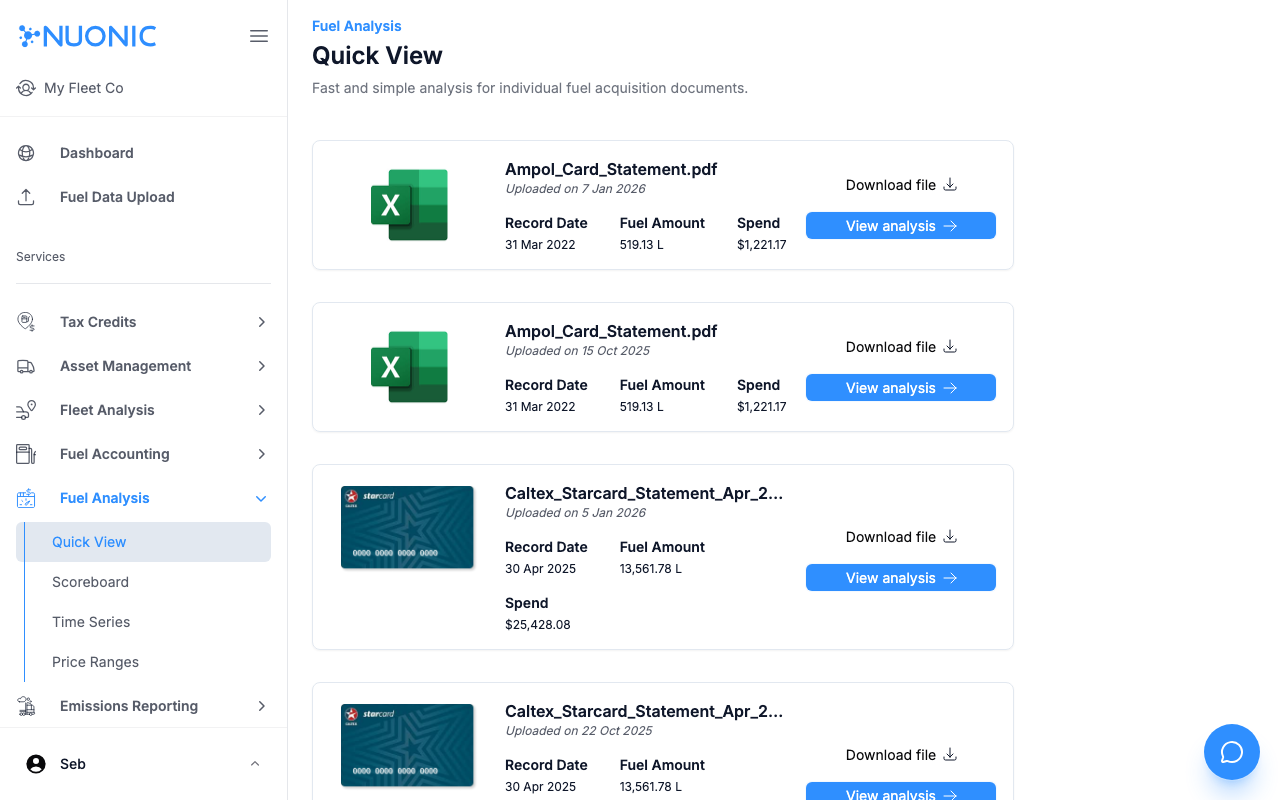
Quick View provides fast, per-document fuel analysis. Select any uploaded fuel acquisition document to see a breakdown of fuel amount and spend without navigating through full transaction tables.
Prerequisites
- You are logged in to Nuonic.
- At least one fuel acquisition record has been uploaded.
Steps
- In the left sidebar, select
Fuel Analysis, thenQuick View. - Find the document you want to analyse in the list. Each card shows the filename, upload date, record date, fuel amount, and spend.
- Select
View analysison the document card to open the detailed breakdown. - Optionally select
Download fileto retrieve the original uploaded file.
Screenshots
The Quick View page lists all uploaded fuel documents. Select View analysis on any card to open its detailed fuel breakdown.
Troubleshooting
- If no documents appear, confirm that fuel records have been uploaded and processed successfully.