Overview
The Acquisition Records page lists all fuel purchase and acquisition records uploaded to Nuonic. Use it to review, filter, and manage your fuel records, create FTC reports, or import new fuel data.
Prerequisites
- You are logged in to Nuonic.
- At least one fuel record has been uploaded.
Steps
- In the left sidebar, select
Fuel Accounting, thenAcquisition Records. - Use the
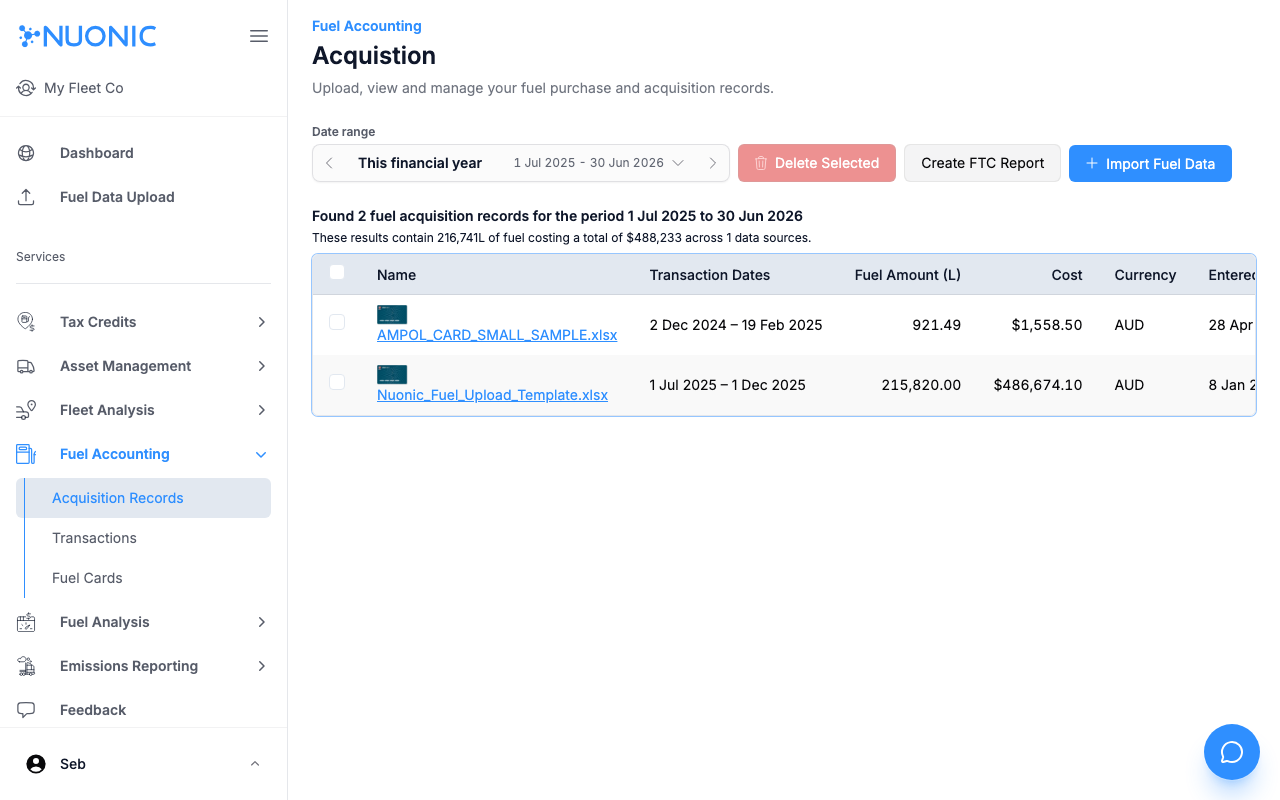
Date rangeselector to filter records by financial period. - Review the table showing each record's name, transaction dates, fuel amount, cost, currency, and upload date.
- Select a record name to view its individual transactions.
- Use the action buttons to:
Import Fuel Data— upload a new fuel statementCreate FTC Report— begin the FTC report allocation flowDelete Selected— remove selected records (select via checkboxes first)
Screenshots
The Acquisition Records page shows all uploaded fuel records for the selected period with a summary of total fuel and cost across all sources.
Troubleshooting
- If no records appear, confirm fuel data has been uploaded and the date range covers the upload period.
- Select a different date range using the financial period arrows if records from a previous year are not showing.