Overview
Remove an uploaded fuel document from the extraction jobs list on the Fuel Data Upload page. This removes the document from Nuonic but does not affect any acquisition records already created from it.
Prerequisites
- You are logged in to Nuonic.
- The document has a status of
AWAITING USER APPROVALorFAILED. Documents that are currently processing (QUEUEDorIN PROGRESS) or have already been saved as an acquisition record cannot be deleted.
Steps
- In the left sidebar, select
Fuel Data Upload. - In the
Extraction jobstable, find the document you want to delete. - Select the
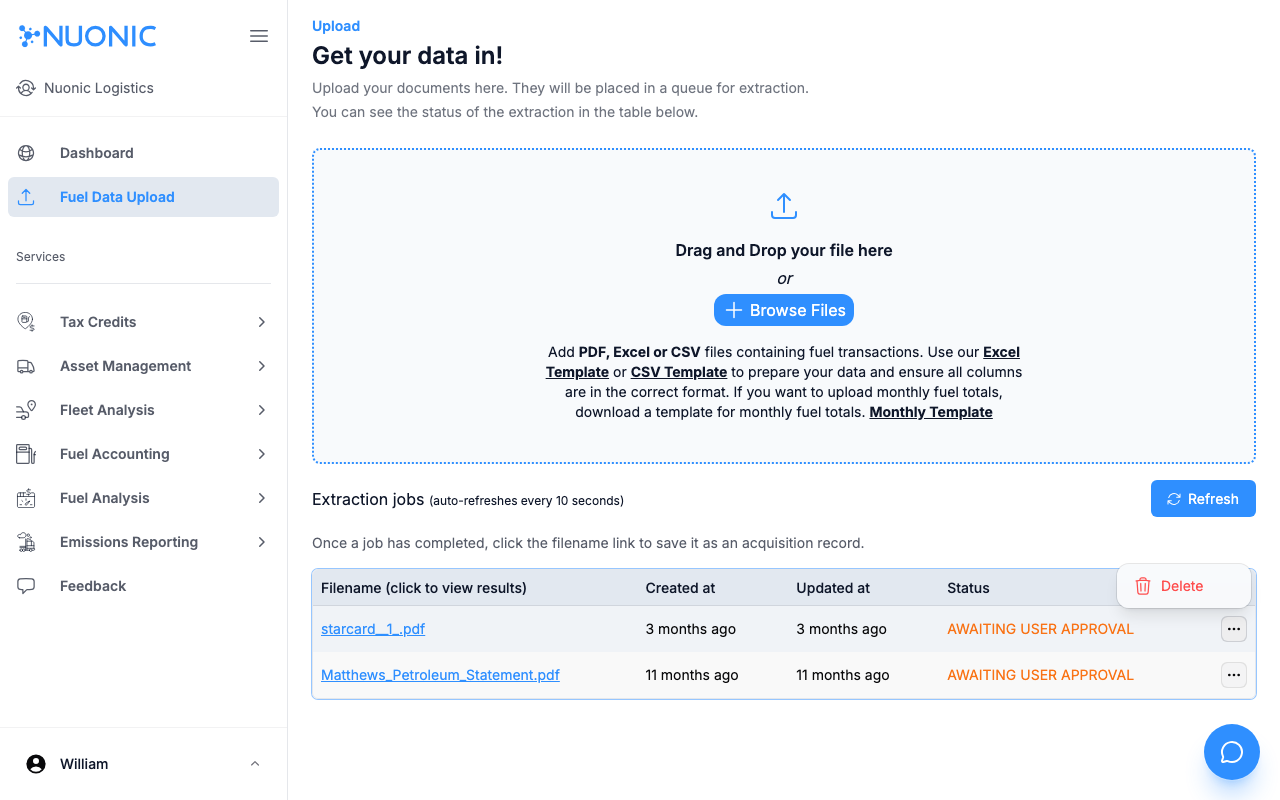
···action menu on the right side of that row. - Select
Delete. - In the confirmation dialog, select
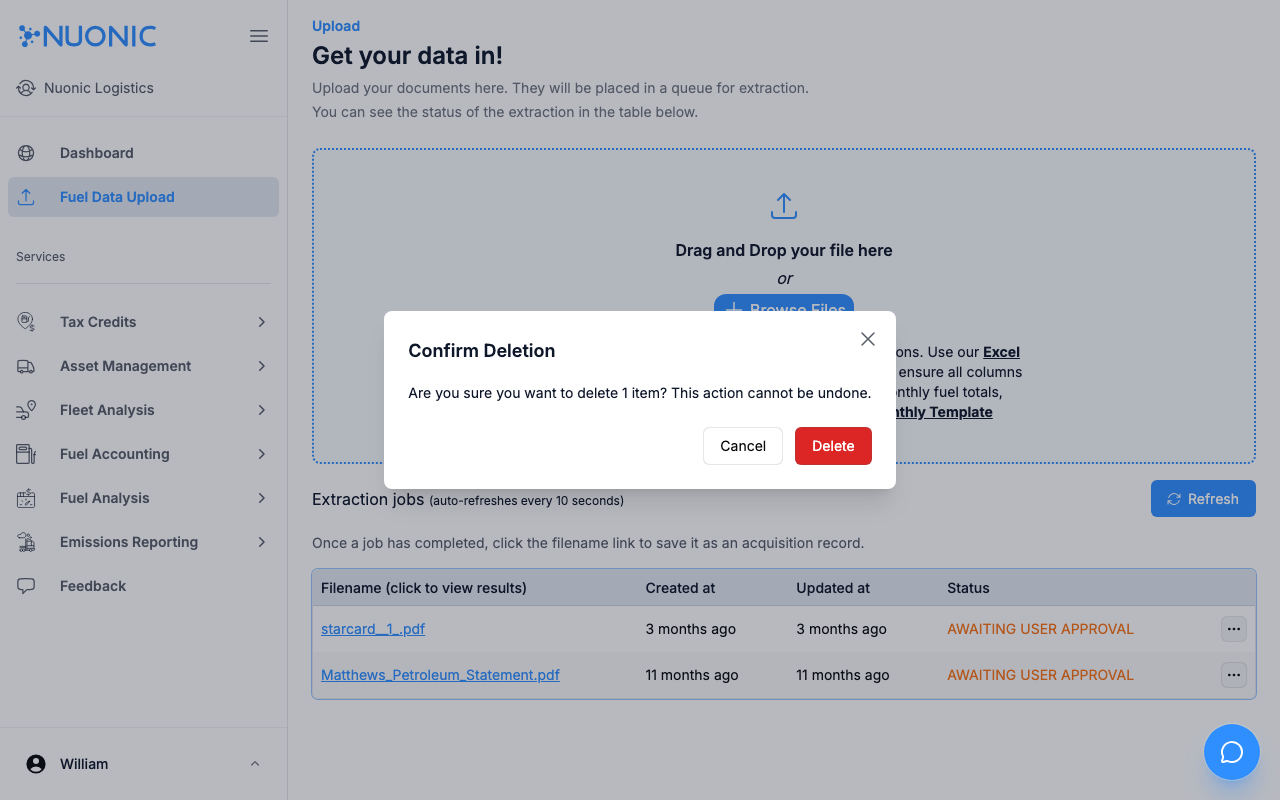
Deleteto confirm. This action cannot be undone.
Screenshots
Select the ··· action menu on the right of the document row to reveal the Delete option.
A confirmation dialog will appear before the document is permanently removed.
Troubleshooting
- If the
···menu is not visible on a row, the document cannot be deleted. This happens when the document is currently processing or has already been saved as an acquisition record. - If you need to remove an acquisition record instead, see How to delete acquisition records.