Overview
Remove one or more fuel acquisition records from Nuonic using the Acquisition Records page. Deletion is permanent and cannot be undone.
Prerequisites
- You are logged in to Nuonic.
- You have at least one acquisition record uploaded.
Steps
- In the left sidebar, select
Fuel Accounting, thenAcquisition Records. - Use the
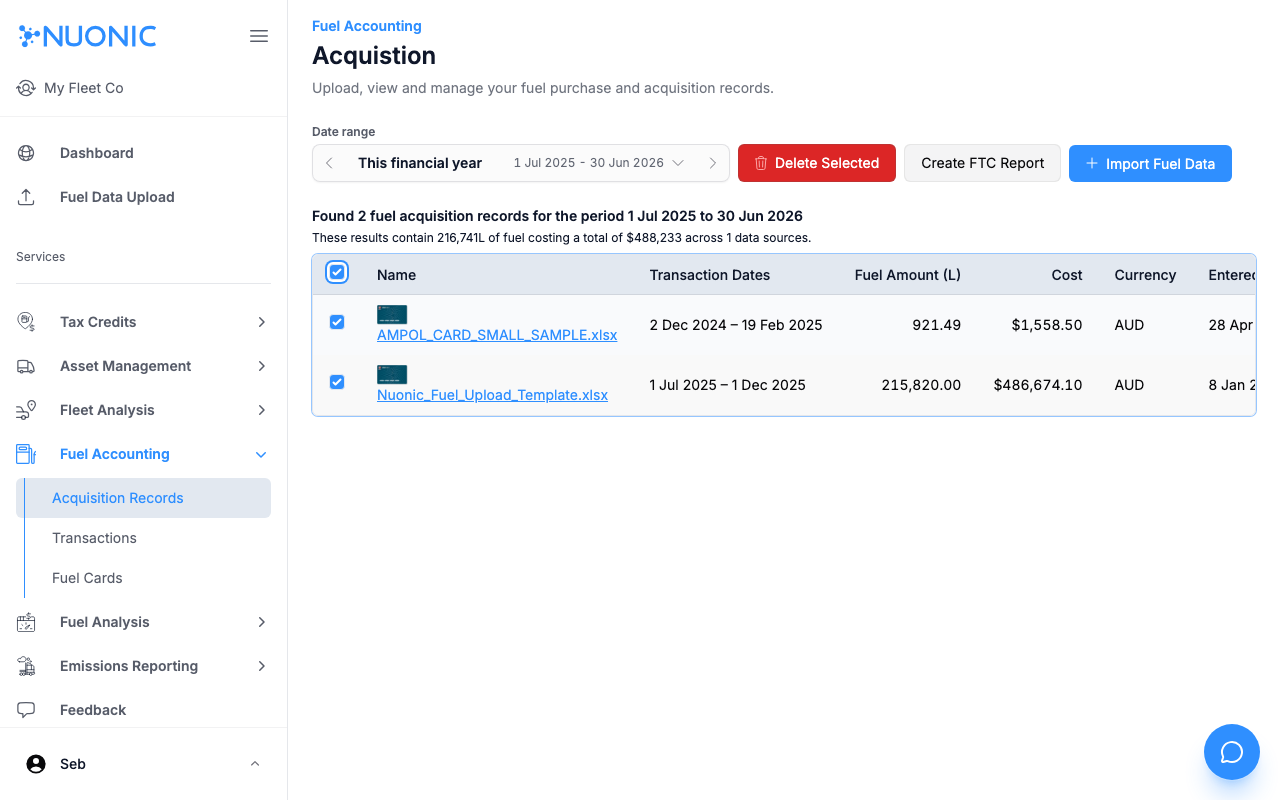
Date rangeselector if needed to find the records you want to delete. - Check the checkbox next to each record you want to delete. Check the header checkbox to select all records on the page.
- Select
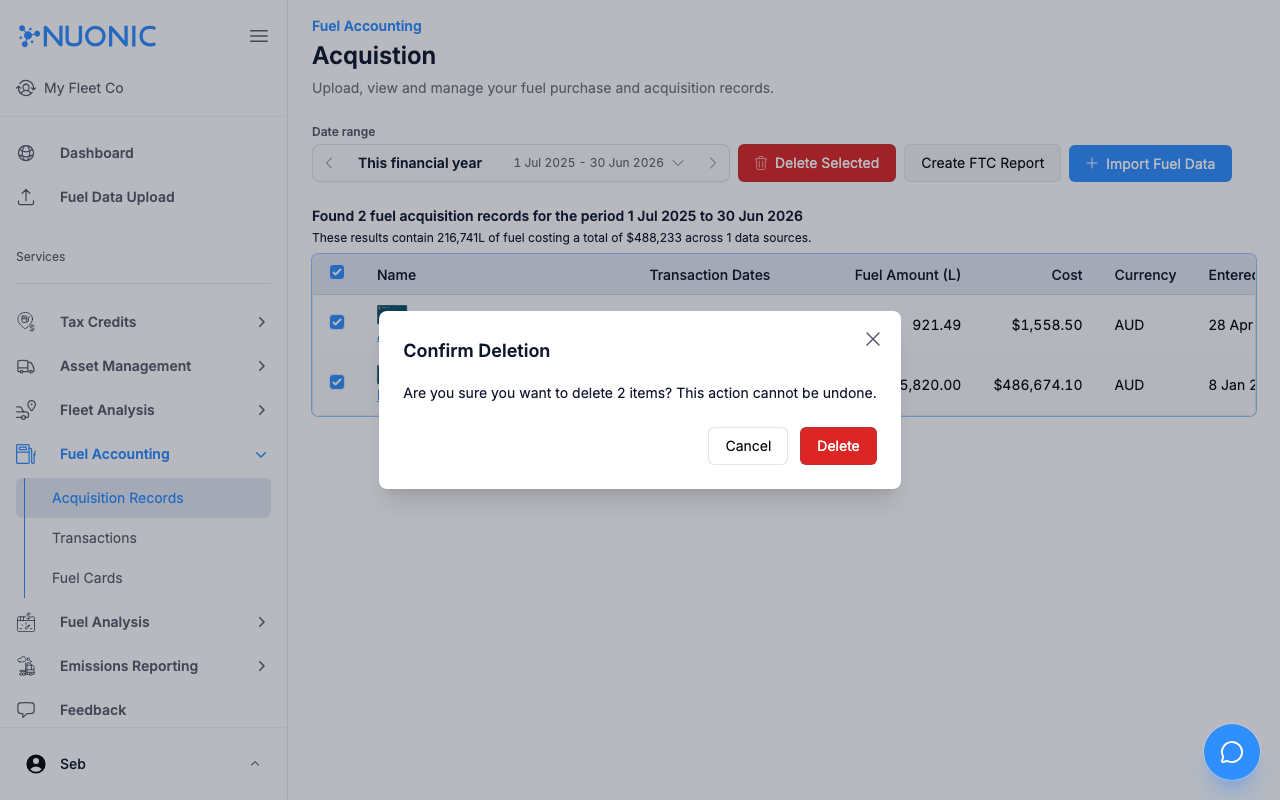
Delete Selected. - In the confirmation dialog, review the number of items to be deleted, then select
Delete.
Screenshots
Select the records you want to remove using the checkboxes, then select Delete Selected. A confirmation dialog will appear before anything is deleted.
Troubleshooting
- If
Delete Selectedis greyed out, no records are selected — check at least one checkbox first. - If a record is linked to an existing FTC report, it may not be deletable until the report is removed.