Overview
The Audit Questionnaire helps you prepare answers to common ATO audit questions about your FTC claim before a review. It is populated with data from Nuonic and can be saved as a PDF for your records or to share with your tax agent.
Prerequisites
- You are logged in to Nuonic.
- GPS apportionment data and fuel records are available.
Steps
- In the left sidebar, select
Tax Credits, thenAudit Questionnaire. - Review each section — the questionnaire pre-fills answers from your Nuonic data where possible.
- Complete any sections requiring manual input.
- Select
Save as PDFat the bottom of the page to download the completed questionnaire.
Screenshots
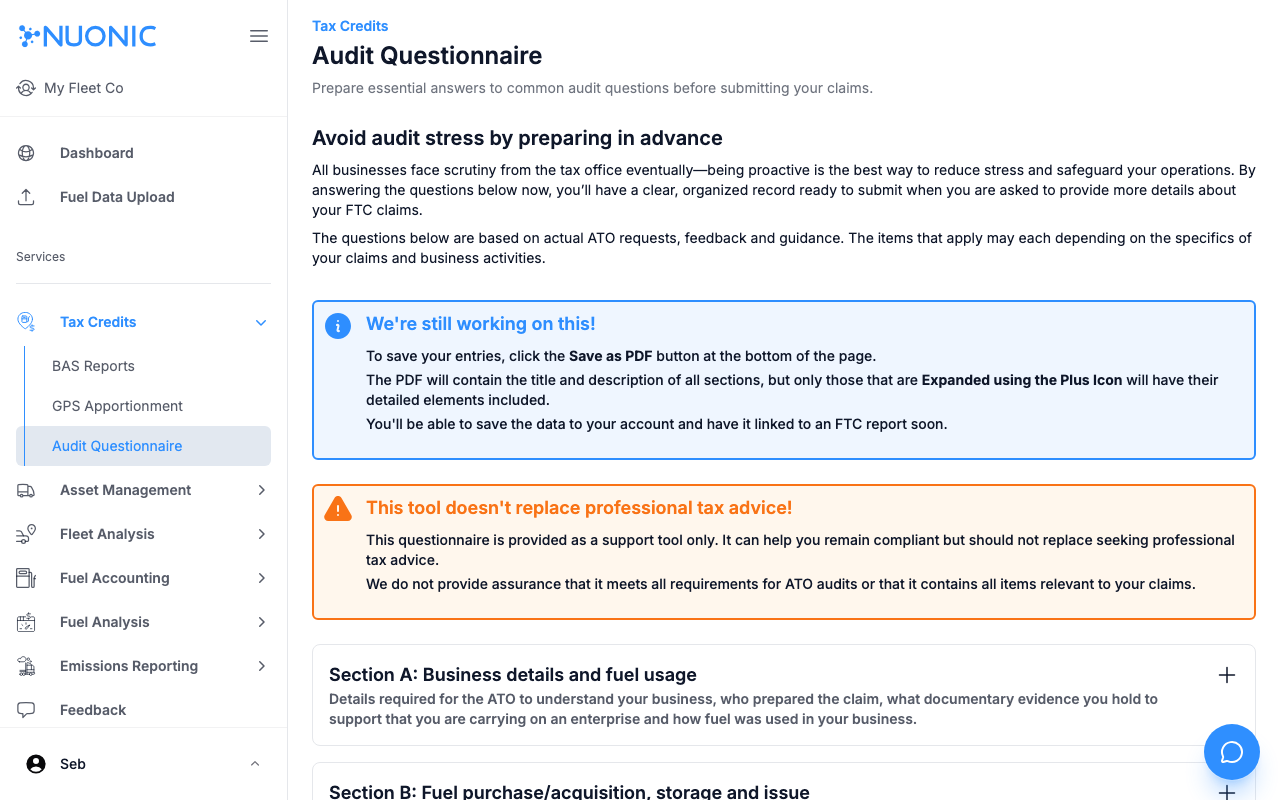
The Audit Questionnaire covers business details, fuel purchase and acquisition information, and other sections required by the ATO. Complete any gaps and save as PDF when ready.
Troubleshooting
- The questionnaire does not replace professional tax advice — consult a registered tax agent for complex claims.
- If sections are incomplete, ensure GPS data and fuel records are connected and up to date.