Overview
The Fuel Apportionment page shows the estimated fuel quantities for each GPS-tracked asset, broken down into on-public roads and off-public roads use. These figures are derived from your GPS trip activity combined with each asset's fuel consumption rate settings, and they feed directly into your FTC tax credit calculation.
Prerequisites
- You are logged in to Nuonic.
- Your GPS telematics provider is connected and trip data is available.
- Asset fuel consumption rates are configured in the Asset Register.
Steps
- In the left sidebar, select
Tax Credits, thenGPS Apportionment. - Select
Fuel Apportionmentfrom the GPS Apportionment summary page. - Review the date period shown at the top of the page to confirm the correct reporting window.
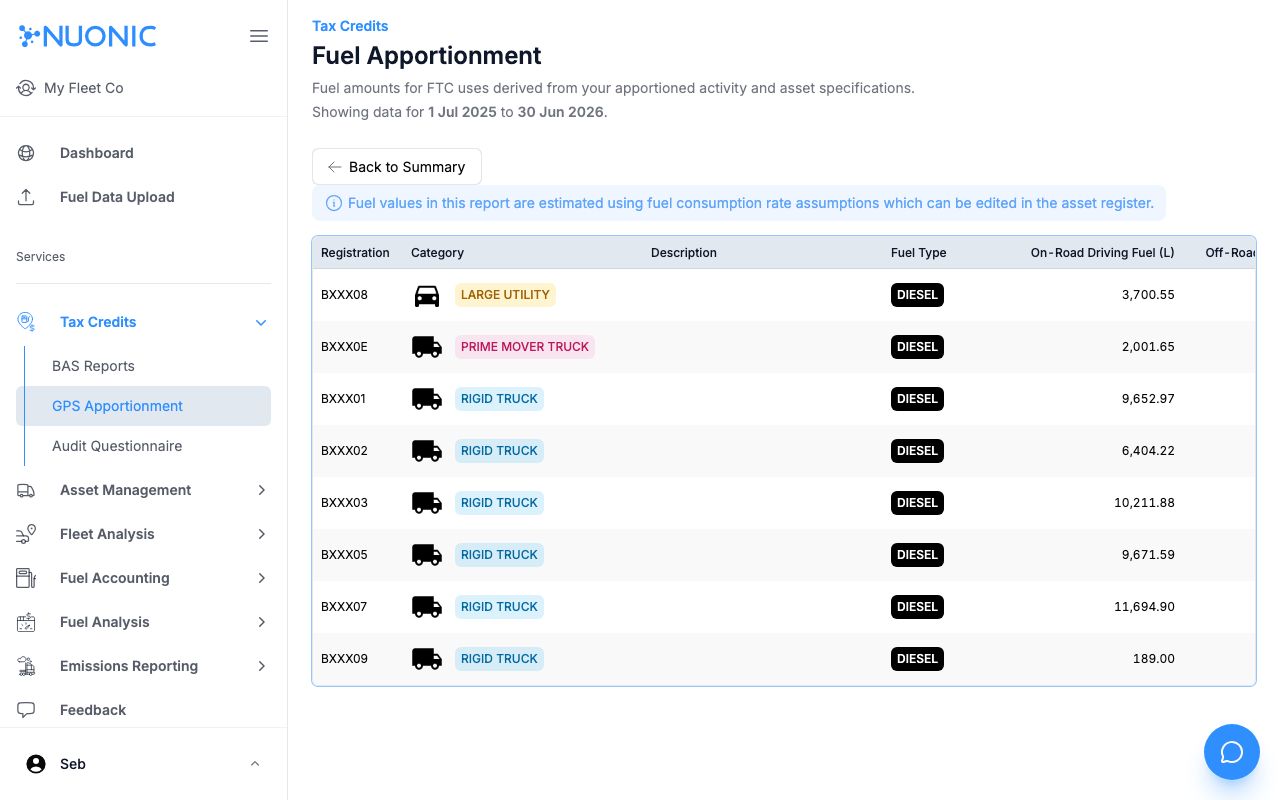
- For each asset, the table shows:
Registration— the asset identifierCategory— asset type (e.g. Rigid Truck, Large Utility)Description— optional asset descriptionFuel Type— the fuel type used for FTC calculation (e.g. Diesel)On-Public Roads Driving Fuel (L)— estimated litres used while driving on public roads (FTC-eligible depending on activity)Off-Public Roads Fuel (L)— estimated litres used off public roads (FTC-eligible)
- Note the information banner at the top — all fuel values are estimates based on each asset's consumption rate assumptions. To update these, edit the asset in the Asset Register.
- Select
Back to Summaryto return to the GPS Apportionment overview.
Screenshots
The Fuel Apportionment table lists each GPS-tracked asset with its estimated on-public roads and off-public roads fuel quantities for the selected period. A note at the top explains that values are derived from consumption rate assumptions set per asset.
Troubleshooting
- If no assets appear, confirm GPS trip data exists for the selected period and that at least one asset is connected to a telematics device.
- If fuel amounts look too high or too low, the asset's fuel consumption rate may need adjusting — select the asset in the Asset Register and update the rate.
- Fuel values are estimates only — they are not drawn from actual fuel transaction records.