Overview
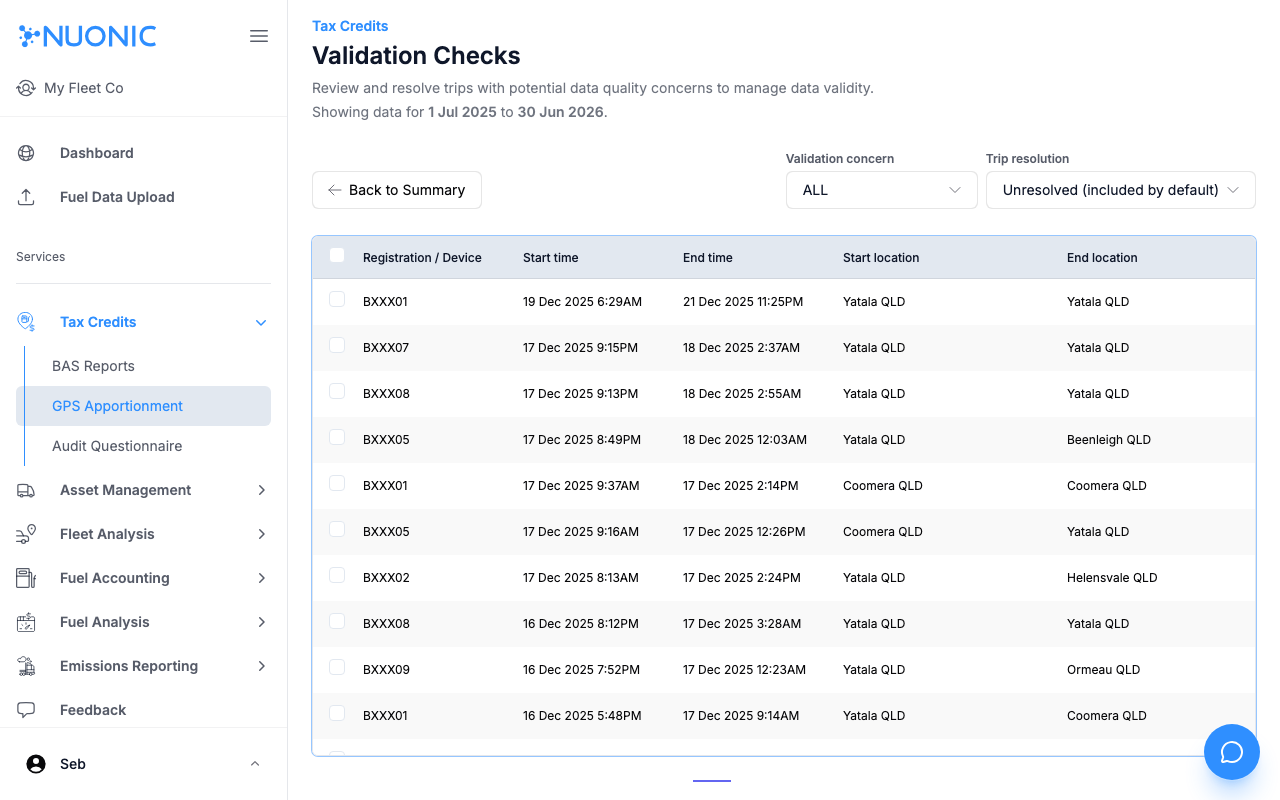
The Validation Checks page shows trips with potential GPS data quality concerns that could affect your FTC calculation. Review and resolve flagged trips before generating reports to ensure your claim is based on accurate data.
Prerequisites
- You are logged in to Nuonic.
- Your GPS telematics provider is connected and trip data is available.
Steps
- In the left sidebar, select
Tax Credits, thenGPS Apportionment. - Select
Validationfrom the GPS Apportionment navigation. - Use the
Validation concernfilter to focus on a specific type of data issue. - Use the
Trip resolutionfilter to viewUnresolvedtrips (included in calculations by default) or previously resolved ones. - Review each flagged trip and resolve or exclude as appropriate.
Screenshots
The Validation Checks page filters trips by concern type and resolution status. Resolving flagged trips ensures your FTC calculation uses clean GPS data.
Troubleshooting
- Unresolved trips are included in calculations by default — review them to decide whether to include or exclude each one.
- If many trips are flagged, check your telematics connection for data quality issues.