Overview
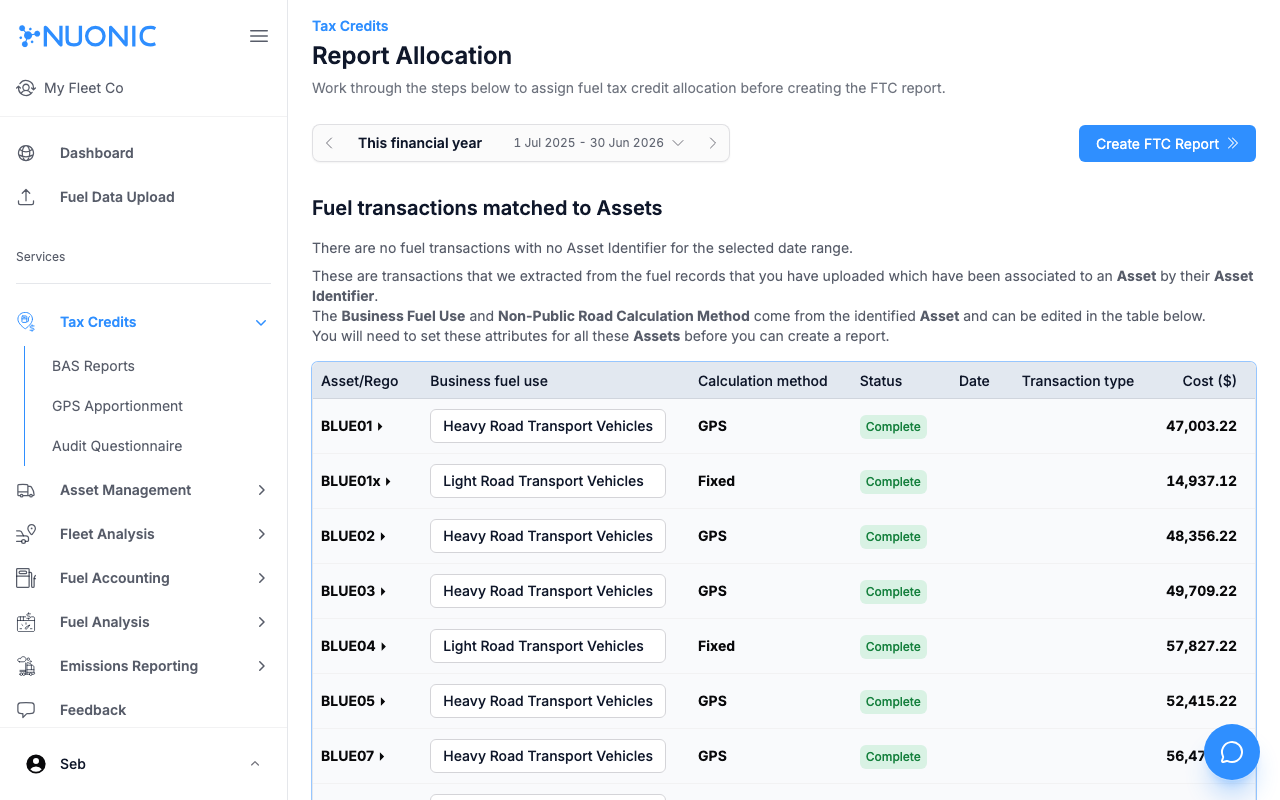
The Report Allocation page is the step before creating an FTC report. It shows all fuel transactions matched to assets and lets you confirm or adjust each asset's business fuel use category and calculation method before generating the report.
Prerequisites
- You are logged in to Nuonic.
- Fuel records have been uploaded and matched to assets.
Steps
- In the left sidebar, select
Tax Credits, thenGPS Apportionment. - Select
Report Allocation(or navigate directly from the GPS Apportionment summary). - Set the
Date rangefor the report period. - Review the table — each row shows an asset with its
Business fuel usecategory,Calculation method, and currentStatus. - Adjust the
Business fuel useorCalculation methodfor any asset as needed. - Once all assets show
Complete, selectCreate FTC Report.
Screenshots
The Report Allocation page lists each asset with its business fuel use and calculation method. Assets showing Complete status are ready for the FTC report.
Troubleshooting
- If an asset's status is not
Complete, check that a business fuel use category and calculation method are selected. - If no assets appear, confirm fuel records have been uploaded and matched to assets for the selected period.